

AI Assistants vs AI Agents: The Complete Guide to Next-Generation Intelligent Assistants in 2026
This article provides a comprehensive 2026 overview of AI assistants and AI agents, explaining their differences, functionalities, use cases, and future trends in intelligent digital helpers.
 Krina Kumbhani
The line between a helpful chatbot and a fully autonomous digital worker has never been blurrier. If you've been wondering which AI tools actually deserve your attention—and your budget—this guide breaks down everything you need to know about AI assistants, AI agents, and the emerging hybrids reshaping how we work in 2026.
Quick Answer: What Is an AI Assistant in 2026?
What is an AI assistant? In 2026, an AI assistant is a software system that uses conversational AI and generative AI to understand human language, respond to requests, and complete tasks across the apps you already use. Think of it as a digital co-worker that can draft emails, summarize reports, pull data from spreadsheets, manage your calendar, and automate workflows—all through a simple text or voice conversation. Generative AI enhances AI assistants' natural language understanding, making interactions feel remarkably fluid.
These artificial intelligence assistants now range from simple chat-based tools that answer questions in a browser chat window to semi-autonomous systems that can control email, calendars, and files on real devices. The category includes everything from intelligent assistants like ChatGPT and generative AI assistants to emerging gen AI assistants embedded directly into workplace platforms. New terms have also entered the vocabulary: an assistant agent describes a hybrid system with a friendly conversational front end but autonomous backend capabilities, while an ai agent personal assistant handles inbox triage or scheduling meetings with minimal human intervention. The next generation AI assistant isn't just answering questions—it's taking action.
A quick note on the AI assistant vs agent distinction: assistants are reactive helpers (you ask, they respond), while agents are autonomous problem-solvers (you set goals, they work toward them). We'll unpack the full AI assistant vs AI agent comparison shortly. AI assistants automate routine tasks to save time, and by 2026, AI assistants will include autonomous agents in many product lineups.
Why does 2026 matter? GPT-5-class models are mainstream, AI tools are embedded natively in Google Workspace and Microsoft 365, and autonomous AI agents are moving from proof-of-concept to production in operations, marketing, and support. About 50% of U.S. employees now use AI at work, according to Gallup's Q1 2026 survey.
This article covers: precise definitions of assistants, agents, chatbots, and assistant agents; a practical comparison of ai agents vs ai assistants; real use cases for individuals and teams; a current tools breakdown; and forward-looking trends through 2028.
Core Definitions: AI Assistants, AI Agents, Chatbots, and Assistant Agents
Many people use the terms AI assistants, chatbots, and AI agents interchangeably. They shouldn't. Each term describes a distinct functional role, even though the underlying AI technology often overlaps. Here are clear, practical definitions.
AI assistants (or artificial intelligence assistants) are natural-language interfaces that answer questions, perform tasks triggered by user prompts, and support workflows like drafting emails, summarizing documents, doing data analysis, or managing task management across apps. AI assistants typically require user prompts to operate effectively—you ask, they deliver.
AI assistants can be categorized into three main types:
- Conversational AI chatbots generate text responses based on prompts—these are the simplest form, returning messages but rarely manipulating external apps. Think basic website support bots or early ChatGPT without plugins as AI chatbot examples.
- Single-app AI tools automate specific tasks within one platform, like a grammar checker inside a code editor or a summarizer inside Google Docs.
- Autonomous AI agents perform tasks without constant human input, operating across systems to complete entire workflows.
An AI agent (using the exact phrases AI agents and autonomous AI agents) is a system that can set sub-goals, plan multi-step actions, call external tools or APIs, and execute tasks with limited supervision after an initial prompt. Autonomous agents don't wait for instructions at every step—they reason about what to do next.
The term assistant agent describes a hybrid: an AI agent personal assistant that looks and feels like a personal AI assistant on the surface (conversational, friendly) but internally uses planning, persistent memory, and tool integrations like an agent. This is how agents and AI assistants fit together in a stack: the chat or voice interaction UI sits on top, assistant logic handles natural language processing in the middle, and an agentic execution layer underneath manages complex tasks and task execution.
One concise framing for AI agents vs AI assistants: assistants are reactive "front office" systems answering queries; agents are proactive "back office" systems pursuing goals.
How AI Assistants Work Under the Hood
The AI Assistant Pipeline
Most intelligent assistants today are powered by large language models plus surrounding infrastructure—APIs, vector databases for retrieval, and orchestration layers that coordinate multi-step actions.
Here’s how a typical conversational AI interaction flows:
- User Input: User speaks or types a request.
- Speech Recognition: Converts spoken words into text for AI assistants (if using voice assistants).
- Intent Recognition: Determines what the user wants.
- Retrieval: Pulls relevant context from internal knowledge bases or past conversations (RAG).
- LLM Generation: Produces a response using natural language.
- Tool or API Calls: Executes actions if needed (read calendar, send email, update CRM).
- Response: Returns to the user.
AI assistants understand natural language commands to complete tasks across this pipeline. In 2026, assistants maintain short-term context within a session and increasingly store longer-term memory—remembering user preferences, recurring tasks, and previous projects—while respecting privacy controls. This persistent memory makes assistants feel less like tools and more like collaborators.
Role of Large Language Models
Foundation models like GPT-5, Claude 3.x, Gemini 2.0, and Llama 4 are the engines behind generative AI assistants and gen AI assistants. These AI models handle content generation, translation, code writing, reasoning, and more. AI assistants use large language models to process requests, transforming user input into actionable outputs through machine learning at massive scale. However, it's worth noting that LLM-based AI assistants inherit the strengths and weaknesses of these underlying models.
Orchestration and Integration
The difference between simple prompt-response systems and advanced ones is orchestration. Sophisticated AI systems can chain multiple steps, query internal databases, enforce safety checks, and route approval flows—turning a basic chatbot into a true virtual assistant.
AI tools like OpenAI's GPT APIs, Anthropic's Claude, Google's Gemini API, and open-source alternatives make it feasible for companies to build custom, branded AI assistants tied to their own workflow and customer data.
What Is an AI Assistant? Deep-Dive and Everyday Examples
What is an AI assistant? It's a system that combines natural language understanding with generative AI to automate or assist with tasks across applications. It goes beyond just answering questions—it can draft, schedule, summarize, analyze, and integrate with the digital assistants and tools you already use.
The evolution has been dramatic. Early voice assistants like Siri (2011), Amazon Alexa (2014), and Google Assistant (2016) handled simple commands: setting timers, playing music, making phone calls. By 2026, the next generation AI assistant platforms can draft proposals, manage inboxes, and coordinate project management tasks across teams.
Popular AI Assistant Examples
Concrete examples of AI assistants people use today include:
- ChatGPT on desktop and mobile (with memory, tool access, and a free plan tier)
- Google Gemini inside Gmail and Google Docs, providing Google Workspace integration for drafting and summarization
- Microsoft Copilot inside Outlook and Excel, making AI assistants excel at data analysis and email drafting
- Notion AI for brainstorming, summarizing meeting notes, and extracting action items
- Meeting assistants like Otter and Fireflies that transcribe calls, tag tasks, and summarize discussions
Personal Use Cases for AI Assistants
For personal use, AI assistants can:
- Assist with travel planning by searching for deals
- Help create schedules and meal plans
- Generate weekly menus and grocery lists
- Track habits and suggest personalized wellness tips
- Draft emails and proofread documents
- Handle calendar and time management
- Provide planning and organizational features
Professional Use Cases for AI Assistants
For professional work, many AI assistants can:
- Summarize long PDFs
- Clean up CRM notes
- Handle first-draft content creation including social media posts
- Perform basic data analysis in spreadsheets
- Streamline administrative tasks like meeting agenda preparation
- Offer voice interaction capabilities
- Connect to apps and smart devices to perform actions across your workflow
Many assistants are now multimodal—they can read a screenshot of a spreadsheet, interpret a whiteboard sketch, and act on visual input alongside text and voice.
What Are AI Agents and Autonomous AI Agents?
An AI agent is a system that doesn't just wait for your next instruction. It can decide what to do next, call tools, adapt plans, and pursue goals over time with minimal human micromanagement. Where AI assistants typically respond to user prompts, agents take a high-level objective and figure out how to get there.
The spectrum runs wide. On the simpler end, you have task agents—like an email triage script that sorts your inbox by priority with minimal human intervention. On the more sophisticated end, autonomous AI agents manage entire workflows: onboarding sequences, invoice processing, lead nurturing campaigns, or inventory management. Multiple AI agents can even collaborate on different parts of a larger process.
Concrete Examples of AI Agents in 2026
- An agent monitoring a Shopify store that detects defective orders, triggers returns, and notifies customer-service reps
- An agent managing a sales cadence in HubSpot or Salesforce—sending follow-up emails, logging CRM activity, and escalating hot leads
- A coding agent that reviews pull requests on GitHub, suggests improvements, and opens PRs for small fixes
Agents break goals into subtasks, use reasoning to choose the next action, and decide when to ask the user for clarification versus proceeding to autonomously complete tasks. Common patterns include agentic orchestration frameworks, tool-calling protocols, and memory modules that maintain context across sessions.
An AI agent personal assistant is an agent that runs on your laptop or in the cloud, handling inbox, calendar, and file tasks in the background—essentially a personal AI assistant that thinks ahead.
Mini-Case: AI Agent in Action
On Monday morning, you tell your AI agent to "prepare everything for our Q3 launch." It gathers relevant documents from past launches, drafts a timeline, schedules kickoff meetings, assigns follow-ups in your project management tool, and reports back—without further nudges. That's the difference between AI assistance and autonomous agents in action.
AI Assistants vs AI Agents: Key Differences and When to Use Each
The phrase AI assistant vs agent (and AI assistant vs AI agent) causes real confusion for buyers. This section provides a decision framework, not just definitions.
The main axis is straightforward: AI assistants are reactive, user-driven, and focused on conversations and single tasks. AI agents are proactive, goal-driven, and focused on multi-step outcomes. AI assistants typically require user prompts to operate effectively, while agents can complete tasks autonomously after initial configuration.
Comparison Table: AI Assistants vs AI Agents
| Dimension | AI Assistant | AI Agent |
|---|---|---|
| Autonomy | Responds to user input | Self-directed after goal-setting |
| Scope | Single task or conversation | End-to-end workflow |
| Oversight | Human in the loop at each step | Approval checkpoints or fully hands-off |
| Integration | Surface-level (plugins, chat) | Deep system access (APIs, databases) |
AI assistants may struggle with complex tasks requiring multi-step workflows—that's where agents shine. In enterprise settings, the AI agents vs AI assistants split often looks like this: assistants handle frontline question answering, knowledge lookup, and drafting for knowledge workers; agents handle back-office processes like order routing, claims processing, or batch campaign management.
Prescriptive Guidance: When to Use Each
- If you need help replying to emails or generating content → assistant
- If you need the system to decide who to email, when, and with what content → agent
- If you want real-time support for decision making → assistant
- If you want a system that can execute tasks across platforms overnight → agent
Start with assistants when your organization is early in AI adoption and risk tolerance is low. Layer assistant agents and autonomous AI agents into well-scoped domains once trust, governance, and monitoring capabilities are in place.
Types of AI Assistants in 2026
Not all AI assistants are the same. Here are the main categories by role and interface, each with concrete examples.
Categories of AI Assistants
- Personal productivity assistants: ChatGPT, Claude, and Perplexity. These are general-purpose tools for writing, research, brainstorming, and summarization. They're among the top AI assistants for individual knowledge workers, and many offer a free plan to get started. The learning curve is minimal—just open a chat window and start typing.
- Workplace-embedded assistants: Built into the platforms you already use. Google Gemini in Google Workspace handles drafting inside Gmail, analyzing data in Sheets, and summarizing in Google Docs. Microsoft Copilot does the same across Outlook, Excel, Word, and Teams. These specialized assistants thrive because they operate within the Google ecosystem or Microsoft 365 natively, making Google Workspace integration seamless.
- Domain-specific assistants: Target particular functions. Jasper and Copy.ai focus on marketing copy. GitHub Copilot acts as an AI-powered code editor companion. Otter and Fireflies handle meeting notes and transcription. Zendesk's AI answers customer support queries. These are generative AI assistants tuned to perform tasks in a specific context. AI assistants will increasingly focus on vertical specialization as the market matures.
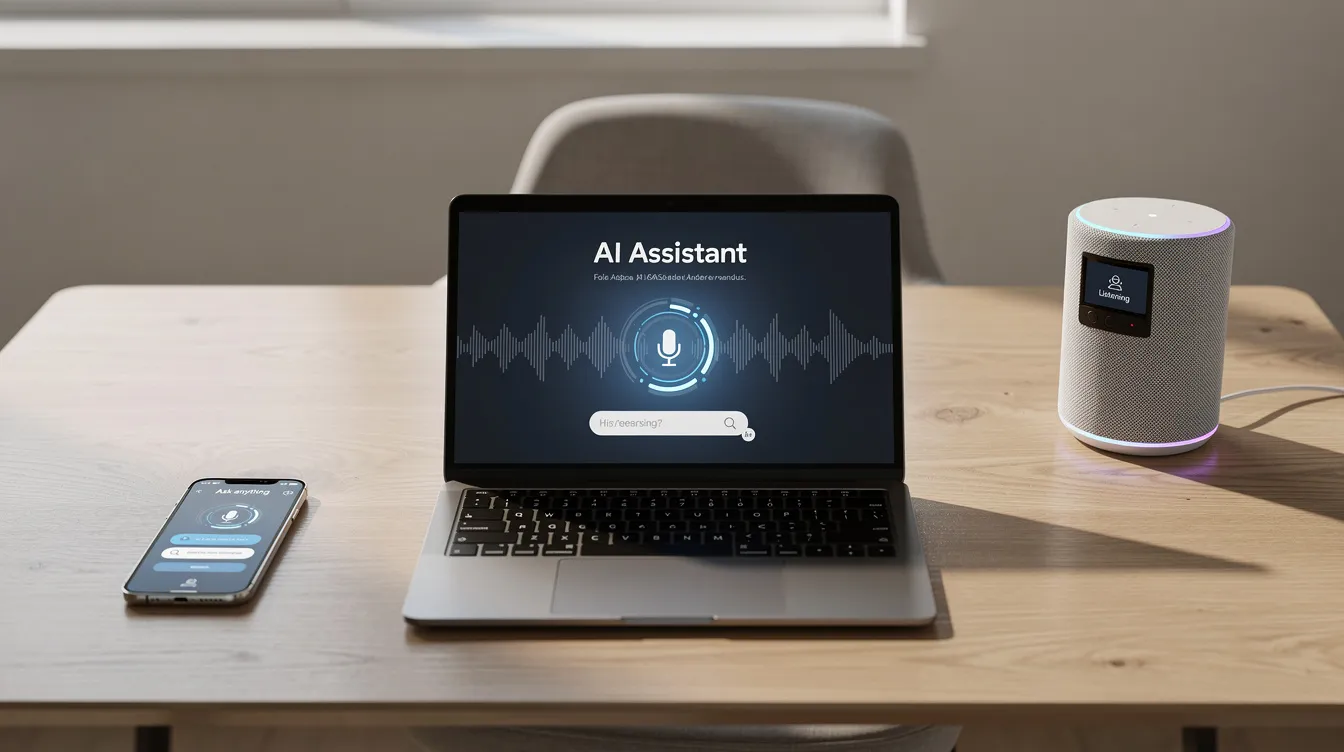
- Device and smart-home assistants: Amazon Alexa, Google Assistant on Android, and Apple Siri. They handle voice interaction, control smart devices, and are evolving toward gen AI capabilities like image understanding and contextual awareness.
- Next generation AI assistants: Operate at the OS level, seeing your entire screen, controlling windows and files, and acting as an on-device co-worker. Some products blur boundaries entirely: a calendar-focused assistant that also writes messages, or a CRM assistant connecting chat, email, and deal pipelines into one flow.
Key Features of Modern AI Assistants
While interfaces differ, most successful AI assistants share a core set of key features that users now expect as standard.
Core Features of AI Assistants
- Natural language understanding: AI assistants can provide quick responses to questions, handle multi-turn dialogue, ask clarification questions, and support multiple languages with contextual awareness. Natural language processing has improved dramatically with recent foundation models, allowing assistants to interpret human language with nuance.
- Content generation: Powers creative tasks: drafting emails, articles, ad copy, proposals, and social media posts. AI assistants can generate content and personalize user interactions based on tone preferences and past behavior. These generative AI assistants also help generate content for presentations, reports, and marketing materials.
- Productivity capabilities: Include summarization, task extraction from meeting notes, and integrated calendar and time management. AI assistants automate workflows and streamline complicated tasks like scheduling meetings, rescheduling around conflicts, protecting focus time, and managing task management across apps.
- Data analysis: Features let assistants read CSVs, work with spreadsheets, generate charts, and explain trends in plain English. AI assistants help with data analysis to extract insights efficiently, making them valuable for analyzing customer data and making sense of complex datasets without requiring technical expertise.
- Integration depth: What separates a chatbot from a true AI assistant. AI assistants are designed to integrate with everyday tools—deep hooks into Google Workspace, the wider Google ecosystem, Microsoft 365, Slack, CRM platforms, and project management tools. When assistants integrate with these systems, they can pull data, update records, and execute tasks across platforms. AI assistants can provide real-time support across various channels, whether that's email, chat, or voice.
- Personalization: Rounds out the feature set. Assistants remember user preferences, tone, recurring workflows, and custom instructions—while allowing easy reset or editing for privacy and control. They provide real-time support across various communication channels to keep you up to date wherever you work.
Benefits of AI Assistants for Individuals and Teams
AI assistants deliver measurable value in time savings, output quality, and reduced cognitive load for both individuals and organizations.
Benefits for Personal Productivity
- Faster writing
- Fewer context switches between apps
- Offloading routine tasks like email drafting and scheduling
- Enhanced customer experience by personalizing interactions
- Streamlined workflows in professional settings
- Improved efficiency by handling data analysis tasks that would otherwise eat hours of manual spreadsheet work
A meta-analysis of 23 studies on generative AI assistance in programming found a moderate productivity gain (Hedges' g ≈ 0.33) for code completion tasks. In business settings, the numbers are equally compelling: a mid-sized SaaS team in 2025 reported cutting weekly reporting time by 40% using a gen AI assistant embedded in their BI tool, freeing analysts to spend three extra hours per week on insight generation.
Qualitative Gains
- Reduced burnout when AI personal assistants handle rote tasks
- Improved accessibility for users who prefer voice interaction or have difficulty reading dense material
- Non-native speakers use assistants to polish communication
- Personal assistants help with everything from writing to scheduling to research
Agents and AI assistants can also work in tandem. For example, an assistant chats with a support rep while a back-end agent queries systems, updates tickets, and logs resolutions—combining the conversational warmth of an assistant with the task execution power of an agent.
Results depend on setup quality, training data, and change management. AI assistants aren't magic—they're tools that amplify good processes.
Challenges, Risks, and Limitations of AI Assistants and Agents
Accuracy and Hallucinations
AI assistants and AI agents are powerful but imperfect. Understanding their limitations is essential for safe deployment.
- Accuracy and hallucinations remain a primary concern. AI assistants can produce incorrect or fabricated responses, known as hallucinations. This is especially dangerous when automating legal, medical, or financial content without rigorous human review. Foundation models used in AI assistants are not consistently reliable, and even confident-sounding outputs can be wrong.
Privacy, Security, and Compliance
- Privacy, security, and compliance raise serious questions. When assistants connect to email, cloud drives, or production databases, organizations must consider where data is stored, how long chat history is retained, and whether the setup meets GDPR, HIPAA, or industry-specific requirements. AI assistants can be affected by changes in external tools they integrate with, meaning an API update or permission change can break workflows unexpectedly.
Control and Oversight
- Control and oversight become critical with autonomous AI agents that can send emails, modify records, or trigger purchases. Without approval workflows, audit logs, and kill switches, the risk of unintended actions increases. The need for AI assistance governance grows in proportion to autonomy.
Organizational Challenges
- Organizational challenges include user training, change resistance, skill gaps, and the temptation to bolt AI onto broken processes instead of redesigning them. There's always a learning curve when introducing AI systems into established workflows.
One key contrast in the AI assistant vs agent risk profile: assistants mostly respond to user choices, so the risk centers on content quality or privacy leaks. Agents can initiate actions with minimal human intervention, making governance, testing, and monitoring far more critical.
Human-in-the-loop patterns remain best practice in 2026 for high-stakes decision making. AI should produce drafts, options, and recommendations—not final authority.
Practical Use Cases for AI Assistants and AI Agents Across Functions
This section moves from theory to real-world patterns across departments.
Marketing and Sales Use Cases
- Gen AI assistants draft campaign copy, segment audiences, and summarize customer feedback.
- Agents coordinate multi-step nurture sequences—sending follow-up emails, updating CRM records, and optimizing timing based on analyzing customer data.
- A retail brand might use an assistant to generate content for social media posts while an agent manages the entire publishing cadence.
Operations and Customer Support Use Cases
- AI assistants answer FAQs, handle status queries, and explain policy details.
- They provide real-time support across various communication channels.
- Agents go further—handling order changes, processing refunds, and rescheduling appointments by connecting to back-end systems.
- A retail contact center might deploy an agent to track shipment delays, proactively alert customers, and route escalations.
Internal Productivity Use Cases
- Intelligent assistants manage meeting agendas, transcribe calls, and extract action items from meeting notes.
- They power internal Q&A over company knowledge bases and automate workflows across tools like Slack, Asana, and Notion AI.
- This helps streamline administrative tasks and frees teams to focus on strategic work.
Technical and Data Functions Use Cases
- Coding assistants suggest functions and tests inside a code editor.
- AI tools do first-pass data analysis on dashboards.
- Monitoring agents create tickets when anomalies are detected—a European bank in early 2026, for example, uses an assistant embedded in its CRM to draft policy disclosures while autonomous agents handle compliance checks.
Chain Workflows: Assistants and Agents Together
- An assistant captures a user request for "prepare the monthly financial report," passes it to a background agent that pulls from accounting systems, generates draft charts, and sends a summarized version back through the assistant for review.
- This combination of conversational front-end and agentic back-end represents the future of AI assistance.
How to Choose the Right AI Assistant or Agent for Your Needs
There is no single "best" AI assistant. The right choice depends on your ecosystem, use case, risk tolerance, and budget.
Decision Framework for Selecting AI Assistants and Agents
- Scope: Personal use, small team, or enterprise deployment?
- Function: Writing and ideation (assistant) or execution and automation (agent)?
- Ecosystem: Google ecosystem and Google Workspace users likely benefit from Gemini. Outlook and Excel users from Microsoft Copilot. Cross-tool automation may favor workflow platforms plus LLMs.
- Compliance: What are your data sensitivity and regulatory requirements?
Heavy Gmail and Google Docs users should explore Gemini's native integration. Teams running on Microsoft 365 get the most from Copilot. Developers working in a code editor may prefer GitHub Copilot. Marketers might look at specialized assistants like Jasper. Among top AI assistants, the best fit is the one that matches your own workflow.
When to Avoid Agents
- Early experimentation stages
- High-risk domains without guardrails
- When your team lacks the technical resources to monitor agent actions and review outcomes
Phased Adoption Path
- Start with a conversational AI assistant for search, drafting, and summarization
- Connect it to calendars, documents, and email
- Pilot autonomous AI agents only in constrained, supervised workflows with clear KPIs
Run small pilots with measurable goals—time saved per task, error rates, satisfaction scores—rather than buying large licenses without data. Many platforms offer a free plan or trial tier, so experimentation is low-risk.
Future Trends: The Next Generation of AI Assistants and Agents
Looking ahead, the next generation AI assistant will transform how we interact with AI technology through 2026–2028.
Key Trends to Watch
- Reasoning and planning will advance significantly, enabling AI agents to handle more complex, long-running workflows with fewer failures and better self-correction. Multi-agent collaboration will emerge in AI assistant technology, with multiple AI agents working together on interconnected tasks.
- OS-level integration will deepen. Assistants that can see your screen, control any app, and behave like a true AI agent personal assistant for both work and home life are already in development. These digital assistants will blur the line between software tool and co-worker.
- Multimodal evolution means assistants will watch meetings in real time, interpret whiteboards and sketches, handle phone calls with context, and generate or edit video and audio as naturally as text. AI assistants will improve personalization and functionality as these capabilities mature.
- Governance and policy will standardize. Organizations are adopting audit trails, role-based permissions, and logging frameworks for agents and AI assistants—especially in regulated industries where every action must be traceable.
The AI assistant vs AI agent distinction will likely blur as most high-end assistants gain autonomous capabilities while maintaining a user-friendly conversational layer. The result: AI woven seamlessly into your work, not bolted onto it.
AI won't replace all jobs. But people who learn to collaborate with AI assistants and AI tools will increasingly outperform those who don't.
FAQ: Common Questions About AI Assistants and AI Agents
1. What is an AI assistant?
An AI assistant is a software system that uses artificial intelligence to understand natural language, perform tasks, and automate workflows across your apps. In 2026, this means tools that can draft documents, manage calendars, pull data, and generate content—all through conversation. AI assistants can provide quick responses to questions and handle everything from scheduling meetings to analyzing data.
2. What is the difference between AI assistant vs agent?
The core difference between AI agents vs AI assistants comes down to autonomy and scope. An AI assistant vs AI agent comparison reveals that assistants wait for user prompts and handle discrete tasks, while agents pursue multi-step goals and can complete tasks autonomously. Assistants are your front-office helper; agents are your back-office executor.
3. Are generative AI assistants safe for business use?
They can be, with proper guardrails. Use private deployments where possible, enforce human review for sensitive outputs, maintain versioning, and comply with privacy regulations. The risk of hallucinations means you should never treat AI output as final authority in legal, medical, or financial contexts without expert review.
4. Can an AI agent personal assistant really manage my calendar, inbox, and tasks?
Partially. In mid-2026, agents can triage incoming email, schedule events, suggest responses, and reorganize tasks. However, full delegation—making decisions without any human oversight—remains rare and requires strong governance. Expect human intervention at key checkpoints for the foreseeable future.
5. Do I need coding skills to use AI tools?
Not for most assistants. Many AI assistants work out of the box through a simple chat window with no technical setup. For more complex agentic workflows or custom integrations, some technical skill or platform-builder experience helps.
6. How can I protect sensitive information?
Use enterprise-grade deployments with encryption, limit data access permissions, regularly audit what information your assistants can reach, and avoid sending un-scrubbed personally identifiable information to public models without appropriate data agreements.
Related articles
AI Tools and Automation
Google AI Search: How AI Overviews and Search Labs Are Changing Google Search
Google AI Search blends web search with generative AI to deliver cited, synthesized answers through AI Overviews and AI Mode. Learn how it works, how to enable Search Labs on desktop and mobile, its real impact on SEO and traffic, and where AI-powered search is heading next in 2026.
AI Tools and Automation
Artificial Intelligence Code: Modern AI Coding Tools, Code Generation & Business Automation
AI-generated code has moved from novelty to the core of how teams ship software. Learn what artificial intelligence code is, how AI writes code from prompts, the top AI coding tools, when to trust it versus humans, and how Syngulr builds AI employees on AI-generated, human-reviewed code.
AI Tools and Automation
AI and Digitalization: How Artificial Intelligence Is Powering the Next Wave of Digital Transformation
Learn how AI and digitalization work together to reshape business operations, improve decision-making, and unlock measurable growth. A practical guide for leaders ready to drive effective digital transformation.
Build your AI workforce today
Put everything you just read into practice. Spin up AI employees for your business in minutes — no credit card required to start.