

Googlebot Chat: Complete Guide to Google's AI Chatbots in Search and Workspace
Googlebot Chat explores Google's AI-powered chatbots in search and Workspace, differentiating traditional crawling from conversational AI like Gemini. Learn how these tools enhance productivity, SEO, and customer engagement with Google's evolving AI chat technologies.
 Krina Kumbhani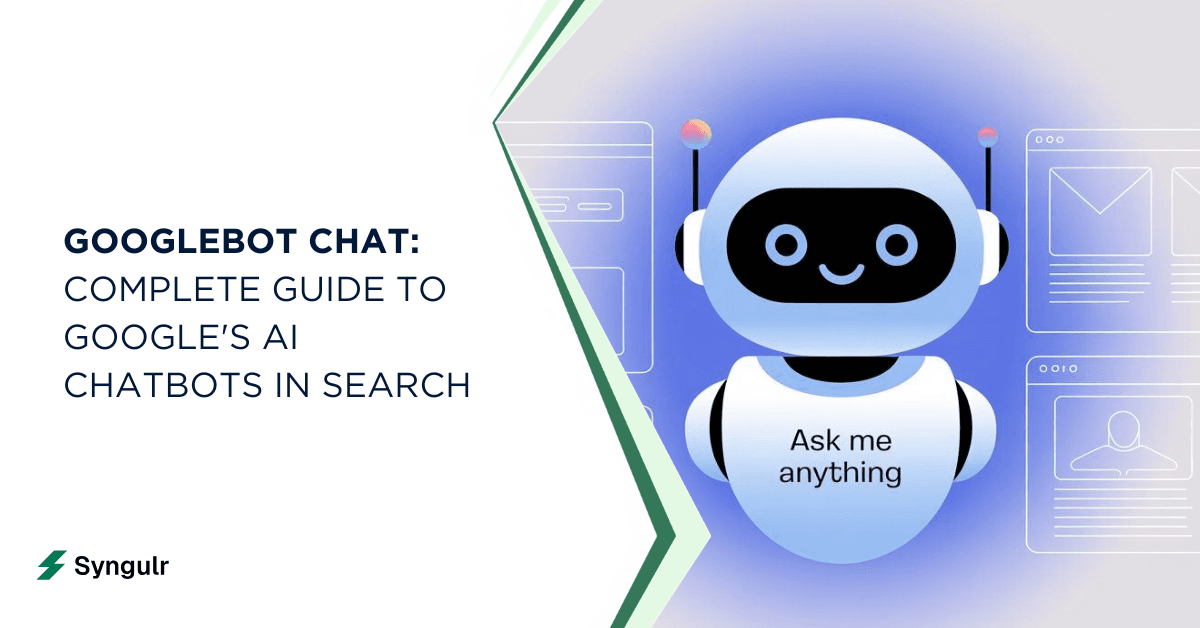
This guide is for marketers, developers, and business owners who want to understand Google's evolving AI chat technologies and their impact on search and productivity. Understanding the differences between Googlebot and Google's AI chat features is crucial for optimizing your content strategy and leveraging new AI-powered tools. The term googlebot chat has gained traction among marketers, developers, and business owners trying to make sense of Google's rapidly expanding conversational AI features. Googlebot is Google's web crawling software that indexes web pages. Googlebot is not an AI chatbot and does not talk to users. This guide breaks down what it actually means, how it differs from the traditional web crawler, and where every flavor of Google's chat-driven artificial intelligence fits into your workflow.
What is Googlebot Chat and How Is It Different from Googlebot?
Let's get the biggest misconception out of the way: googlebot chat is not an official Google product name. It is an informal label people apply to the conversational, AI powered chat bot experiences Google now offers - AI Overviews in search, the Gemini app, and Gemini inside Workspace. These features answer queries directly, much like a smart assistant, which is why SEOs and marketers started calling them googlebot ai or google artificial intelligence bot.
The traditional Googlebot, by contrast, is Google's web crawling software that indexes web pages. Googlebot is not an AI chatbot and does not talk to users. It processes URLs, downloads their resources, and helps index content for Google Search. It helps build Google's searchable database from public content by reading standard HTML and executing underlying JavaScript to see the final rendered page. JavaScript-heavy sites require a crawl-render-index process for Googlebot to fully understand them.
Here is a comparison between the two concepts:
| Attribute | Traditional Googlebot (Crawler) | "Googlebot Chat" (Conversational AI) |
|---|---|---|
| Purpose | Crawl and index web pages | Answer user questions directly |
| Visibility | Runs behind the scenes | User-facing in search results, apps, workspace |
| Technology | Algorithmic crawling software | Large language models (Gemini family) |
| Interaction | None - does not chat | Conversational, follow-up capable |
A few more facts about how the real Googlebot handles chat content specifically:
- Googlebot crawls public web pages that host chat content but does not log in to private chat applications.
- Googlebot cannot bypass login screens or paywalls. It only reads chat content that is open to the public without a login.
- If a chat interface is public, Googlebot may read the visible text of that chat. Viewing static text surrounding a chatbot is possible if it is publicly accessible.
- Googlebot may crawl and index public chat logs if allowed by site owners, and it evaluates the quality and uniqueness of user-generated content for indexing.
- Googlebot respects directives in robots.txt and noindex meta tags, and it distinguishes between blocking crawling and preventing indexing.
- Googlebot's role depends on how chat content is delivered and its accessibility on the page.
How Googlebot Chat Appears Inside Google Search
Conversational results now show up prominently inside Google search through AI Overviews and the newer AI Mode feature. Google's AI Overviews feature gets 1.5 billion uses per month as of May 2025, making it one of the most widely used AI services on the web.
Here is what the user experience looks like in practice:
- A user types a query like "what is googlebot chat?" or "use chatbots google for customer support?" and an AI-generated summary appears above traditional results.
- Below the overview, a prompt invites the user to ask a follow-up question, creating a conversation that feels like talking to a google ai chat bot embedded in the search engine.
- Complex, multimodal, or technical queries are most likely to trigger these chat-style responses, powered by Gemini models (currently Gemini 3 globally as of January 2026).
- Users can explore deeper into topics without leaving the page, which is why many perceive this as a google artificial intelligence chatbot built directly into search.
Google Chat vs. Googlebot Chat: Where Google Chat Bots Actually Live
Google Chat is the messaging app inside Google Workspace, tightly integrated with Gmail, Drive, Meet, Calendar, and group spaces. When people say google chat bots or google assistant chatbot, they usually mean bots and apps running inside Google Chat to automate workflows - not the public-facing AI in search.
Key contrasts between the two types of chatbots:
- Search chat (AI Overviews / AI Mode): Public-facing, general knowledge, answers anyone's questions in the search engine.
- Workspace chat bots: Internal, organization-specific, work with private data, automate tasks inside Chat spaces.
- Google Chat apps integrate services directly into chats and support interactive elements like dialogs and slash commands.
- The Google Chat API consists of gRPC services and REST resources, and apps can be built using AppSheet, Google Apps Script, and Dialogflow.
Both surfaces share Gemini models under the hood, but they serve fundamentally different audiences.
Gemini in Google Chat: Your Always-On AI Teammate
Gemini rolled out broadly into Google Chat for Business and Enterprise tiers of Google Workspace throughout 2025. For many teams, it acts like an always-on google assistant bots layer dedicated to productivity.
Here are some concrete capabilities Gemini offers in Google Chat:
- Summarize unread conversations:
- Catch up on long threads in seconds from the Chat home view.
- Generate drafts:
- Turn notes or discussion points into polished messages, Docs, or Sheets.
- Retrieve specific details:
- Ask Gemini who said what, what decisions were made, or what action items came out of a conversation.
- Translate messages:
- Useful for organizations with communities across multiple regions.
- Access private data:
- User data access requires authentication and user consent, keeping content secure.
Upcoming Gemini Omni models will further improve reasoning, code understanding, and multimodal input (text, images, files, camera, audio, video) within Chat, introducing even richer responses for teams.
From Google Assistant to Gemini App: The New AI Chat Hub
Google has been steadily shifting its consumer AI from the classic Google Assistant on Android to the dedicated Gemini app, which many users now consider "the new google assistant chatbot."
Key milestones in the evolution of Google's AI chat experience:
- February 2024: Bard was rebranded to Gemini, publicly launching the Gemini app as Google's main ai chatbot front-end.
- August 2024: Gemini Live debuted on Pixel 9, adding real-time voice conversation.
- June 2025: Gemini CLI was announced as an open-source AI agent for developers who prefer a terminal-based process.
- May 19, 2026: Gemini Omni, a multimodal AI model, was introduced - handling text, voice, picture input, screen content, and more in one unified conversation.
- July 21, 2026: Gemini 3.6 Flash was released, optimized for faster output and lower-cost responses.
Users now open the Gemini app for complex questions, coding help, document analysis, creative writing, and research. Future versions will continue to transform how people interact with Google's AI across mobile, web, and Chrome.
Google Cloud and Enterprise: Building Custom Google Chat Bots
Google Cloud lets companies build branded ai powered chat bot solutions that compete with third-party platforms. Using Vertex AI, Dialogflow CX, and the Chat API, enterprises can create a chat bot google experience tailored to their domain.
Here are some benefits for any company or organization considering custom Google chatbots:
- Cost reduction: Fewer human support agents needed for repetitive queries.
- 24/7 coverage: AI chatbots can operate across multiple channels 24/7 without downtime.
- Consistent answers: Retrieval-Augmented Generation (RAG) lets the google artificial intelligence bot respond using private documents, wikis, and support content - reducing error rates and mistakes.
- Workspace integration: Deploy bots as google chat bots inside Google Workspace so employees access them without leaving Chat.
- Scalability: Handle spikes in volume during an event, product launch, or seasonal peak without adding headcount.
How Google's Artificial Intelligence Chatbots Actually Work
AI chatbots use natural language understanding and machine learning to interpret what a user means and generate helpful responses. AI chatbots can generate responses using large language models trained on massive text, code, and multimodal data.
Gemini Model Family
- Multiple versions (Gemini 2.0, 2.5, 3.0, 3.6 Flash) serve different surfaces - search, Workspace, the Gemini app, and Google Cloud.
Fine-Tuning and Safety
- Models are refined with reinforcement learning from human feedback, content filters, and safety policies to keep Google AI reliable.
Multimodal Capabilities
- Recent AI models accept not just text but also images, audio, video, and file input, unlocking creativity in how users interact.
Enterprise vs. Consumer
- The same underlying technology powers both public google artificial intelligence chat in search and private enterprise bots, but data handling and training policies differ.
These systems are prone to occasional hallucination or inaccuracy, so guardrails and human oversight remain essential—especially in sensitive domains.
Top Use Cases for Google AI Chat Bot Experiences
Google AI chatbots are used in a variety of scenarios. Here are the top use cases:
Customer-Facing
- FAQ handling, order tracking, booking, and troubleshooting with a google artificial intelligence chatbot embedded in websites or apps.
- AI chatbots can improve customer experiences and lower support costs.
Employee-Facing
- Internal helpdesk bots in Google Workspace that live in Google Chat, answering HR or IT questions.
- Automating ticket creation and helping teams collaborate.
- A director of IT can test and deploy these without heavy development resources.
Sales and Marketing
- Assistants that qualify leads, recommend products, generate campaign content, and respond to media inquiries.
- Powered by chatbots google built on Google Cloud.
Creator and Productivity
- Summarizing documents, generating code, brainstorming content, or analyzing a file inside the Gemini app.
- This layer functions as a personal google assistant bots experience that can explore ideas and start building drafts on the fly.
Privacy, Security, and Control Over Google AI Chat
Google provides several privacy and security controls for organizations and users. Here’s what you need to know:
- What admins can configure: Google Workspace admins control which google chat bots and Gemini integrations are allowed per organization, group, or user. Smart features and data sources (like Chat history in the Gemini app) are off by default.
- What end-users should know: Summaries are unavailable when history is turned off or for conversations involving certain apps. Plans and policies around data usage differ between consumer and enterprise contexts.
- Where to find policies: Encryption, access controls, and Data Loss Prevention (DLP) settings live in the Admin Console. In Google Cloud projects, admins set authentication and data-handling rules for any custom ai chatbot deployment.
User data access requires authentication and user consent across all platforms—a critical safeguard for any organization.
Impact of Googlebot AI Chat on SEO and Content Strategy
Conversational googlebot ai results are reshaping how users interact with search. In some markets like Germany, first-position links have seen a 25–30% drop in clicks when AI Overviews are present.
Here are some risks and opportunities for SEO and content strategy:
- Risks: Traffic loss when content is summarized without a click; dependency on Google's interpretation and linking; old SEO tactics may die off faster.
- Opportunities: High-quality, niche content still earns visibility. Strong E-E-A-T signals, structured data, and clear FAQ formatting help the google artificial intelligence chat layer accurately source your pages.
- Tactics: Monitor which queries trigger overviews; adapt content for long-tail and conversational queries; use schema markup; site owners can block Googlebot from crawling URLs using robots.txt files or noindex tags if they want to control what gets indexed.
Tips for content creators: focus on depth, data, and uniqueness. Search business strategies that embrace AI summaries rather than fight them will perform best.
How to Start Using Google AI Chatbots Today
To get started with Google AI chatbots, follow these steps:
- Enable Gemini in Google Search settings and explore AI Overviews on your next query.
- Install the Gemini app on your phone or access it on the web.
- Create a Chat space in Google Workspace and add Gemini to start summarizing threads.
- Configure smart features and personalization in the Workspace Admin Console for your teams.
- Build a custom chatbot on Google Cloud using Vertex AI or Dialogflow CX and connect it to your website or Chat space.
- Test your bot with real user scenarios before rolling it out to a wider audience.
FAQ About Googlebot Chat and Google AI Chatbots
Here are answers to some frequently asked questions about Googlebot Chat and Google AI chatbots:
Is "googlebot chat" an official Google product name?
No. It is an informal user term for the conversational AI experiences Google offers across search, the Gemini app, and Workspace.
What is the difference between a Google Chat bot in Workspace and Gemini in Google Search?
A google chat bot is internal, works with private organizational data, and automates workflows. Gemini in search is public-facing, answers general queries, and draws from the open web.
Can businesses build their own google artificial intelligence bot?
Yes. Google Cloud offers Vertex AI, Dialogflow CX, and the Chat API for custom development. Google's offerings are strong in Workspace integration and scale but may compete with third-party tools on niche features or pricing.
Are google assistant bots being replaced by Gemini?
Gemini is absorbing many Assistant functions, but classic Assistant actions and routines continue to work on Android and IoT devices. Google has not publicly announced a full replacement, so updates will come gradually.
Does the traditional Googlebot interact with chatbots on websites?
Googlebot crawls public web pages that host chat content but cannot bypass login screens. It reads whatever is publicly accessible in standard HTML and rendered JavaScript, nothing more.
Related articles
AI Tools and Automation
Google AI Search: How AI Overviews and Search Labs Are Changing Google Search
Google AI Search blends web search with generative AI to deliver cited, synthesized answers through AI Overviews and AI Mode. Learn how it works, how to enable Search Labs on desktop and mobile, its real impact on SEO and traffic, and where AI-powered search is heading next in 2026.
AI Tools and Automation
Artificial Intelligence Code: Modern AI Coding Tools, Code Generation & Business Automation
AI-generated code has moved from novelty to the core of how teams ship software. Learn what artificial intelligence code is, how AI writes code from prompts, the top AI coding tools, when to trust it versus humans, and how Syngulr builds AI employees on AI-generated, human-reviewed code.
AI Tools and Automation
AI and Digitalization: How Artificial Intelligence Is Powering the Next Wave of Digital Transformation
Learn how AI and digitalization work together to reshape business operations, improve decision-making, and unlock measurable growth. A practical guide for leaders ready to drive effective digital transformation.
Build your AI workforce today
Put everything you just read into practice. Spin up AI employees for your business in minutes — no credit card required to start.