

AI Agents for Slack: Turn Your Workspace Into an Automated AI Workforce
This article explores how AI agents for Slack transform workspaces into automated, intelligent teams that boost productivity by handling tasks, answering questions, and integrating seamlessly with business tools, highlighting Syngulr as a leading AI workforce platform.
 Krina Kumbhani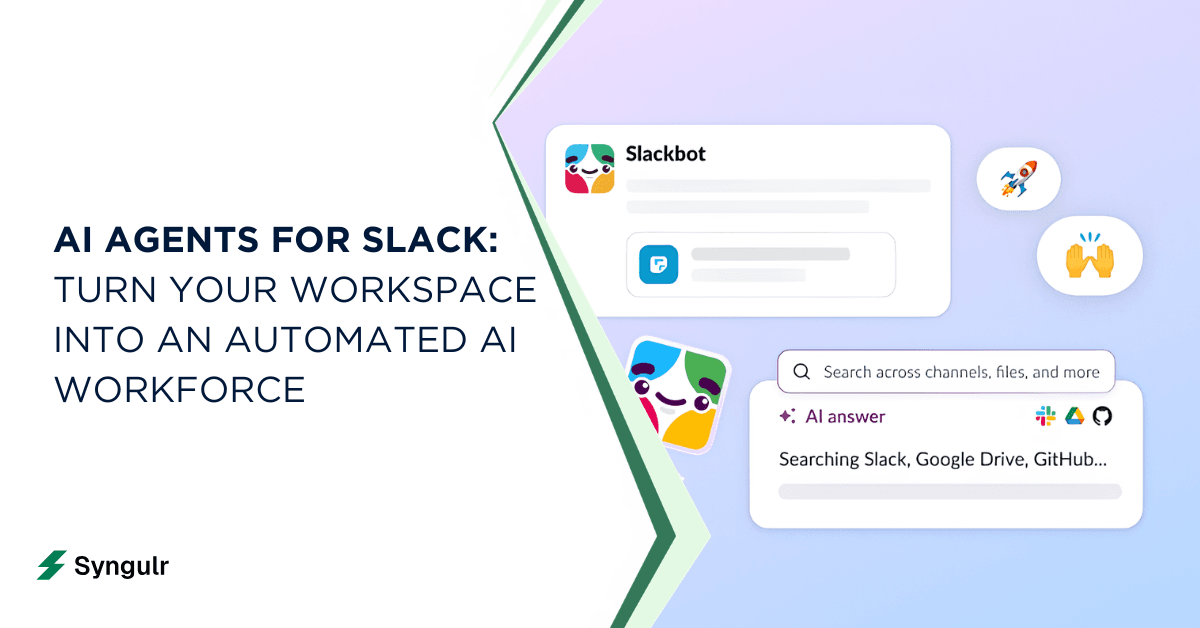
Introduction to AI Agents for Slack in 2026
AI agents for Slack are autonomous or semi-autonomous AI workers that live inside your Slack workspace, answer questions, and take real actions across your tools. They are not the basic notification bots of five years ago. In 2026, these agents own entire workflows - triaging support tickets, summarizing sales pipelines, drafting customer replies, and pushing updates to your team without anyone leaving Slack.
The shift matters. AI agents can increase employee performance by 40%, and analysts estimate companies could see $4.4 trillion in profits from generative AI across the economy. AI agents improve productivity by handling time-consuming tasks that used to eat hours of your team's week. For operators, founders, and team leads, the implication is clear: Slack is where work already happens, and adding AI slack agents there unlocks immediate gains without changing habits.
Syngulr is a leading AI workforce platform that takes this a step further. Instead of bolting on fragmented, single-purpose bots, Syngulr lets you deploy a coordinated team of AI employees inside Slack - and across your entire stack.
Here's what you'll learn in this article:
- What a Slack AI agent actually is and how it differs from legacy bots
- The highest-ROI use cases across support, sales, marketing, ops, and knowledge management
- How to set up and deploy agents in Slack, step by step
- How Syngulr fits as the backbone of your AI workforce inside Slack
What Is a Slack AI Agent, Really?
A Slack AI agent is a persistent AI teammate that can read messages, use connected tools, remember context across conversations, and both answer questions and perform actions inside Slack. AI agents function as intelligent digital teammates, not just scripted responders.
The difference from classic Slack bots is fundamental:
- Legacy bots follow rigid scripts: if a user types a specific keyword, the bot returns a hardcoded reply. They can't reason, adapt, or access live enterprise data.
- Modern AI agents use large language models, retrieval systems, and tool integrations to interpret natural language, pull context from multiple tools, and decide what action to take. AI agents work autonomously with limited human intervention in Slack, escalating only when needed.
There are several scopes for agents in Slack today:
- Channel agents that monitor spaces like #support or #sales, classifying and routing messages
- DM copilots that act as a personal AI agent for individual users, answering questions in private
- Backend worker agents triggered by events, webhooks, or schedules - running behind the scenes
Data flows in from Slack messages, files, slack threads, and connected enterprise data: CRMs, ticketing platforms, knowledge bases, and project management tools. AI agents can summarize long conversation threads in Slack, turn ad-hoc requests into structured tickets, compile weekly sales summaries from CRM data, or draft customer replies by pulling from past conversations and FAQ documentation.
Why Deploy AI Agents in Slack Instead of Standalone Tools?
Slack in 2026 is the operating system of work. Meetings get scheduled there. Incidents get triaged there. Approvals happen in threads. Handoffs between teams live in channels. If your AI tools exist outside Slack, you're forcing people to context-switch - and that's where productivity dies.
AI agents reduce context switching by functioning within Slack. Instead of opening a separate dashboard to check pipeline status or review support metrics, your ai teammate surfaces that information right where the discussion is happening. Slack AI agents reduced project time by 10-20% for teams that embedded agents into their daily workflows.
Consider a scenario: an operations lead used to spend 30 minutes each morning compiling status updates from three tools into a Slack message. Now, an AI agent pulls that data automatically and posts a digest to #ops every morning at 9 AM. That's 2.5 hours saved per week - per person.
Slack agents enhance team communication by capturing action items from threads and routing them to the right people. The core reasons to deploy AI in Slack come down to:
- Speed: instant answers, real-time summaries, automated follow-ups
- Adoption: your team already lives in Slack - no training required
- Security: agents respect existing slack channels permissions and visibility rules
- Governance: audit trails, approval flows, and scoped access are built into the platform
Syngulr as Your AI Workforce Inside Slack
Syngulr is an AI workforce platform that lets you "hire" multiple AI employees that plug into Slack and your existing stack. Rather than deploying a single chatbot that answers FAQs, Syngulr gives you a coordinated team of AI agents - each assigned a role, each capable of working across tools, and each accessible directly inside your Slack workspace.
The AI researches and creates, you review and approve, and then the agent executes - publishing, updating, emailing, or following up automatically. AI departments coordinate multiple AI agents for complex workflows, so your support, sales, marketing, and ops teams each get dedicated AI employees that share context and work together.
Syngulr's Slack-specific capabilities include:
- Sending updates to channels when deal statuses change, tasks complete, or metrics shift
- Receiving alerts from external tools routed into Slack - monitoring, escalations, error spikes
- Automating messages for recurring checklists, scheduled reports, and operational digests
- Summarizing discussions across long threads so teams can catch up in seconds
- Triggering workflows in CRM, help desks, or project tools based on Slack conversations
With 3,000+ integrations - Slack, email, CRMs, help desks, project management tools, and more - the same AI employees you configure in Syngulr also operate across your entire stack. To learn more about how AI employees work, check out our guide on what an AI employee actually is.
Core Capabilities of Modern Slack AI Agents
Modern slack ai agents need to do more than chat. The best slack ai agents combine retrieval, reasoning, and action-taking to behave like true AI teammates, not just conversational interfaces.
Here are the core jobs they should handle:
- Answer questions using company knowledge, documentation, and live data from connected systems
- Summarize channels, threads, and documents so no one wastes time scrolling
- Classify and route incoming messages to the right team, queue, or workflow
- Generate content - drafts, reports, proposals, and replies
- Trigger actions in other tools: create tickets, update CRM records, send emails, log tasks
AI agents can automate routine tasks like ticket creation, project updates, and status reporting. Slack AI agents automate tasks directly within Slack channels, removing the need to jump between apps.
Agents leverage enterprise data from knowledge bases, CRM, calendars, and code repos using retrieval techniques - pulling live information at inference time rather than relying on stale training data. AI agents function best with access to up-to-date information and defined workflows.
There's also the distinction between proactive and reactive behavior. A reactive agent responds when mentioned. A proactive AI agent monitors slack conversations, posts daily recaps, flags SLA risks, and sends follow-ups without being asked. AI agents can provide proactive assistance by monitoring conversations and can collect context from conversations and connected tools to make better decisions. Agentic workflows use AI agents to make decisions and take actions across multi-step processes - interpreting a complaint, checking SLA status, updating a ticket, and drafting a response, all triggered from a single Slack message.
Top Use Cases for AI Agents in Slack Across Teams
AI agents for Slack deliver outsized ROI when mapped to specific team workflows. Slack AI agents include HR, IT, and Sales agents, and AI agents help in various functions including IT support, sales, and HR. Slack AI agents automate tasks directly inside Slack channels for every department.
Here's where the biggest gains appear:
- Customer support: Support agents deflect FAQs in shared channels, search past tickets and internal documentation, draft replies, and escalate when needed. AI agents can assist with customer support by retrieving information from CRMs.
- Sales operations: Agents prep reps for calls by pulling CRM data, enrich incoming leads, and post pipeline updates to #revenue. A sales team can get instant access to deal history without leaving Slack.
- Marketing teams: Campaign performance agents pull ad metrics and website analytics, post weekly digests, and help generate content ideas - all inside #marketing.
- Operations and engineering: Incident monitoring agents summarize error logs, coordinate on-call responses in #incidents, and run recurring operational checklists.
- Leadership and finance: AI agents surface insights from KPI dashboards, produce executive summaries, and flag budget variances in #exec.
Each of these use cases is achievable with Syngulr's agents plugged into Slack without heavy engineering. You define the role, connect the tools, and let the AI employee operate in the relevant channel.
The following sections dive deeper into the highest-impact patterns for support, revenue, and knowledge teams.
Customer Support and IT Helpdesk Agents Inside Slack
Support teams already live in channels like #support, #incidents, and shared customer slack channels. These are natural habitats for AI agents.
A support agent inside Slack monitors incoming messages, searches company documentation, past tickets, and enterprise data from tools like Zendesk, Jira, or Intercom, and drafts contextual answers for human approval. AI agents can automate ticket creation and project updates - tagging, classifying, and routing issues to the correct queue without manual effort. AI agents can respond to questions using company documentation and past ticket history.
Here's a practical day-in-the-life scenario: a support manager handles 50 incoming requests per day. A Slack AI agent filters roughly 60% of those - answering known issues with quick answers, creating tickets for new problems, and flagging escalations. The result? Malt cut ticket closing time in half using AI agents, and response times dropped from hours to minutes.
IT helpdesk scenarios follow the same pattern. Password resets, VPN setup instructions, software access requests - these are repetitive, well-documented queries. An ai assistant in Slack handles the bulk of them, freeing IT staff for complex issues.
Syngulr's agents can also send alerts to #support-escalations when SLAs are at risk or error rates spike, blending monitoring with conversational workflows. When an agent pulls context from your ticketing system and posts an escalation notice with full history, your team responds faster and with better information.
Sales, Marketing, and Revenue Operations Slack AI Agents
Revenue teams waste significant time switching between CRM, email, analytics, and Slack. AI agents eliminate that friction by bringing everything into one place.
Consider this scenario: a rep opens a deal channel and asks, "What's the latest with Acme?" The agent responds with a synthesized view - last email exchange, deal stage, recent meeting notes, and next steps - all pulled from CRM, email, and calendar. No one had to leave Slack or open a single dashboard.
Common patterns for sales and marketing agents:
- Pre-call briefing agents: Before a meeting, an agent pulls CRM history, recent email activity, and relevant documents, then posts a "what you need to know" summary in the deal channel
- Lead enrichment agents: When incoming leads appear in your CRM, the agent fetches company data, sector info, and recent news, then notifies the sales team in #sales
- Campaign performance agents: On a schedule, the agent pulls ad metrics, conversion rates, and website analytics and posts digests to #marketing or #growth
- Follow-up drafting agents: A rep writes a rough outline in Slack; the agent drafts a polished follow-up email or proposal, sends it for approval, then pushes the final version to email or CRM
The revenue impact is measurable: shorter sales cycles because reps spend less time hunting for data, more personalized outreach because context is instantly available, and fewer meetings needed for status alignment.
Internal Knowledge, Onboarding, and AI Teammates for Every Employee
Knowledge management is one of the strongest ROI areas for AI in Slack. Employees spend a disproportionate amount of time searching for policies, procedures, and expertise - often by posting "who knows X?" in channels and waiting for someone to respond.
An AI teammate changes that dynamic entirely. Instead of interrupting busy colleagues, a new hire asks the agent: "What's our refund policy for enterprise customers?" The agent searches wikis, policy documents, and playbooks, then surfaces the relevant section with a link to the source document. AI agents can respond to questions using company documentation and internal knowledge bases, giving instant answers.
For onboarding specifically, this is transformative. New employees get a built in AI knowledge assistant that answers questions about benefits, tool access, team structures, and company processes - without pinging three different people. The agent remembers channel context, links to authoritative docs, and warns when answers might be uncertain or out of date.
Syngulr's AI employees ingest your company knowledge - wikis, SOPs, training materials, playbooks - and make it available through simple natural language processing queries in Slack, respecting permissions. The result is that roughly 80% of routine knowledge queries get handled by the agent, dramatically reducing interruption costs and helping new hires ramp up faster.
An ai teammate in Slack becomes the always-available expert that every employee deserves.
How Syngulr's AI Workforce Connects Slack to Your Enterprise Data
The real power of Syngulr isn't just answering questions in Slack - it's connecting your slack workspace to the full breadth of your enterprise data and turning conversations into actions.
Syngulr uses its 3,000+ integrations to bridge Slack with structured and unstructured data across CRMs, ticketing platforms, project management tools, and document repositories. AI agents can integrate with third-party tools for enhanced functionality, and AI agents can connect to tools like Notion and GitHub alongside dozens of other platforms.
What makes this different is the "read + write" model:
- Read: Agents fetch live customer data, deal statuses, policy documents, and task lists to answer questions in Slack with up-to-date accuracy
- Write: After your approval, agents update CRM records, log tasks in project tools, create support tickets, or send follow-up emails
Syngulr uses retrieval techniques so agents answer in Slack using live company data, minimizing hallucinations. When you ask "What's the status of the Acme renewal?", the agent pulls from your CRM - not from a stale training dataset.
Concrete examples include: syncing deal status changes into #sales, reading Confluence pages for policy answers, logging task completion in Linear or Asana from Slack instructions, and pushing alerts to channels when external system records change.
Identity and permissions matter here. Agents operate under your workspace rules and never exceed what the invoking user is allowed to access - maintaining the principle of least privilege across all connected systems.
Syngulr turns slack conversations into actionable data flows across your entire stack.
Built-In AI vs. Third-Party Slack AI Agents vs. Syngulr
There are three tiers of AI agents available for the slack platform, and understanding the trade-offs helps you invest wisely.
Slack's built in AI is solid for basics. Slack's built-in AI features include summaries and ai powered search across your slack data. Slack's Native AI provides built-in channel catch-up summaries and project digests. Slack's built-in AI features summarize conversations and find answers within your workspace. Agentforce connects to Salesforce data for enhanced functionality, and Agentforce integrates Salesforce data into Slack for enhanced productivity using the Einstein Trust Layer. However, native Slack AI stops short of cross-tool write actions, complex logic, and orchestrated multi-department workflows.
Third party agents from the slack marketplace fill specific gaps. Third-party AI assistants can draft content and summarize files. Automation tools like Zapier trigger actions based on Slack messages but rely on rule-based flows without reasoning. Other tools like Dust focus on internal knowledge but have limited action capabilities - setting up a Dust agent requires five steps just to get basic Q&A running. Slack supports both built-in AI capabilities and third-party agents, but most point solutions excel at one function and don't coordinate across departments.
Syngulr represents a different category. Instead of buying many single-purpose bots, you hire AI employees that operate across other tools and teams with Slack as one of their primary front-ends. Syngulr gives you a coherent AI workforce - agents with shared memory, assigned roles, and the ability to execute real actions after human review. It's the difference between hiring a temp for one task and building a department that runs 24/7.
Agentforce connects to Salesforce data for enhanced AI capabilities, which is valuable for Salesforce-heavy organizations. But for teams that need agents spanning CRM, help desks, project tools, email, and Slack simultaneously, Syngulr's breadth is hard to match.
Security, Permissions, and Governance for AI in Slack
Deploying AI agents inside Slack raises legitimate concerns about data privacy, access controls, and auditability - especially for regulated industries.
The good news: modern ai tools for Slack are designed with governance in mind. Permissions determine the actions AI agents can perform in Slack. Agents respect slack channels permissions and cannot see private data beyond what the invoking user is allowed to access. Organizations should establish governance for security and data access for AI agents before scaling deployments.
Here's what to demand from any AI assistant platform you deploy:
- Audit trails: Detailed logs of every action an agent takes - what it read, what it wrote, who approved it
- Approval workflows: Human review gates before high-impact actions like sending emails, updating CRM records, or creating customer-facing tickets
- Role-based access: Granular control over which agents can access which tools and channels
- Data residency and encryption: Data encrypted in transit and at rest, with clear policies on where company data is stored
- Zero data retention for training: The platform should not use your proprietary slack data or customer data to train its leading AI models
Syngulr is designed for business use: secure integrations, least-privilege access, and clear controls on what AI employees can and cannot do. The review-then-execute model ensures no agent takes an action your team hasn't approved. Security research warns that agents with deep access can be exploited if not properly governed - making these controls non-negotiable.
How to Add an AI Agent to Slack (General Steps)
Whether you're deploying Syngulr or evaluating other ai tools, the general process for adding an ai agent to your slack workspace follows a consistent pattern. Custom-built AI assistants can automate tasks in Slack once properly configured.
Here's a vendor-neutral checklist:
- Choose your workspace and pilot team: Start with one department - support, sales, or ops - where the impact will be most visible.
- Select your AI agent platform: Ensure it has the integrations you need. Connect your data sources to enable agent functionality - CRM, ticketing, knowledge base, project tools.
- Install and authorize the Slack app: Grant the minimum required permissions (read channels, post messages, access threads). Each Slack workspace needs separate integration setup for agents.
- Configure behaviors and triggers: Write plain language instructions for your agent's tasks. Define what channels it can join, what slack actions it can take, and where human approval is required. Custom AI agents can be built using plain language instructions - no coding required on most platforms.
- Connect data sources: Link enterprise tools so the agent can read and write as needed. This is where you connect slack to CRM, documentation, and other connected tools.
- Test in a sandbox channel: Verify responses, check for false positives, and validate that the conversational interface works as expected. Setting up a Dust agent requires five steps for basic Q&A - most platforms follow a similar pattern.
- Train your team: Share guidance on how to invoke the agent, its limitations, and how to correct it.
- Monitor and iterate: Track metrics like response time, accuracy, human edits required, and manual work saved.
Most teams can get a simple AI assistant running in under an hour for basic use cases.
Deploying Syngulr AI Employees as Slack Agents
Deploying Syngulr inside Slack follows a deliberate, phased approach that starts small and scales with confidence.
First, decide which roles to create. Most teams start with a support triage agent, a sales pipeline agent, or an operations reporting agent. For each role, define which slack channels the AI employee should live in, what other tools it can access, and what actions it can take.
Once configured, Syngulr agents operate seamlessly:
- Daily operations digest posted to #exec every morning with KPIs from connected systems
- On-call alert explanation in #incidents - the agent summarizes error metrics, links to relevant logs, and notifies the right engineer
- Content review in #marketing - drafts are posted for team feedback before the agent pushes them to publication
- Pipeline status in #sales - deal updates pulled from CRM and posted on a schedule
Custom AI agents can be built using plain language instructions within Syngulr. You write plain language instructions for your agent's tasks, connect your data sources, and the agent starts working.
Here's the recommended rollout path:
- Pilot: Deploy 1-2 agents with a small team for 2 weeks. Measure manual hours saved and response quality.
- Expand: Roll out to additional teams based on pilot results. Add new agents for marketing, HR, and leadership.
- Standardize: Establish governance playbooks, approval workflows, and monitoring dashboards.
Visit syngulr.ai to explore current Slack integration details and start a trial.
Choosing the Right Mix of Slack AI Agents for Your Organization
When selecting AI agents for your slack workspace, think in terms of jobs to be done - not brand names. What are the 3-5 workflows where manual work costs your team the most time?
Common high-impact starting points:
- Support triage and ticket routing
- Sales call prep and pipeline reporting
- Leadership KPI digests and enterprise search
- Internal Q&A and onboarding
- Incident response and monitoring
AI agents can save hundreds of hours by automating tasks across these workflows.
Evaluate any platform against these criteria:
- Data sources: Can the agent access your CRM, help desk, knowledge base, and multiple tools?
- Action capabilities: Does it just read, or can it also write and update connected systems?
- Governance: Are there audit trails, access controls, and approval workflows?
- Cost: Per user, per agent, or usage-based? Does it scale with your team?
- Integration effort: How much engineering is needed to set up and maintain?
Slack-only assistants are useful for basic summaries, but the highest ROI comes from agents that coordinate across tools while still being reachable from Slack. Syngulr provides a coherent set of AI employees for these jobs, avoiding a patchwork of disconnected bots that don't share context or memory.
Start with one workflow, measure the impact, and expand from there.
Future of AI Teammates in Slack and Beyond
By 2028, most teams will have multiple AI teammates embedded in Slack, each owning specific outcomes - from customer support ticket deflection to revenue forecasting to incident triage. The shift from single chatbots to orchestrated teams of AI agents coordinating projects, approvals, and customer journeys is already underway.
Emerging patterns include voice commands inside Slack, deeper calendar and document understanding, and multi-modal context - where agents process images, PDFs, and audio directly in threads. Reinforced memory systems will let agents maintain long-term knowledge about company norms, style, and team dynamics.
Governance will be critical. Research shows that only about 12% of businesses had centralized governance over their AI agents as of early 2026. As adoption scales - US employee AI usage crossed 50% in Q1 2026 - teams that build governance frameworks now will avoid the chaos of unmanaged "shadow agents" later.
Syngulr is aligned with this future. As an AI workforce platform, it treats Slack as one of several front doors where AI employees show up for work. The teams that embed AI agents in Slack now will build the operational muscle memory, governance frameworks, and competitive edge that define the next era of work.
Start building your AI-powered Slack workspace today at syngulr.ai.
Related articles
AI Tools and Automation
Google AI Search: How AI Overviews and Search Labs Are Changing Google Search
Google AI Search blends web search with generative AI to deliver cited, synthesized answers through AI Overviews and AI Mode. Learn how it works, how to enable Search Labs on desktop and mobile, its real impact on SEO and traffic, and where AI-powered search is heading next in 2026.
AI Tools and Automation
Artificial Intelligence Code: Modern AI Coding Tools, Code Generation & Business Automation
AI-generated code has moved from novelty to the core of how teams ship software. Learn what artificial intelligence code is, how AI writes code from prompts, the top AI coding tools, when to trust it versus humans, and how Syngulr builds AI employees on AI-generated, human-reviewed code.
AI Tools and Automation
AI and Digitalization: How Artificial Intelligence Is Powering the Next Wave of Digital Transformation
Learn how AI and digitalization work together to reshape business operations, improve decision-making, and unlock measurable growth. A practical guide for leaders ready to drive effective digital transformation.
Build your AI workforce today
Put everything you just read into practice. Spin up AI employees for your business in minutes — no credit card required to start.