

Artificial Intelligence Calendar: The Complete 2026 Guide to Smarter Scheduling
Discover how an artificial intelligence calendar revolutionizes scheduling with smart automation, AI assistants, and seamless task management in 2026.
 Krina Kumbhani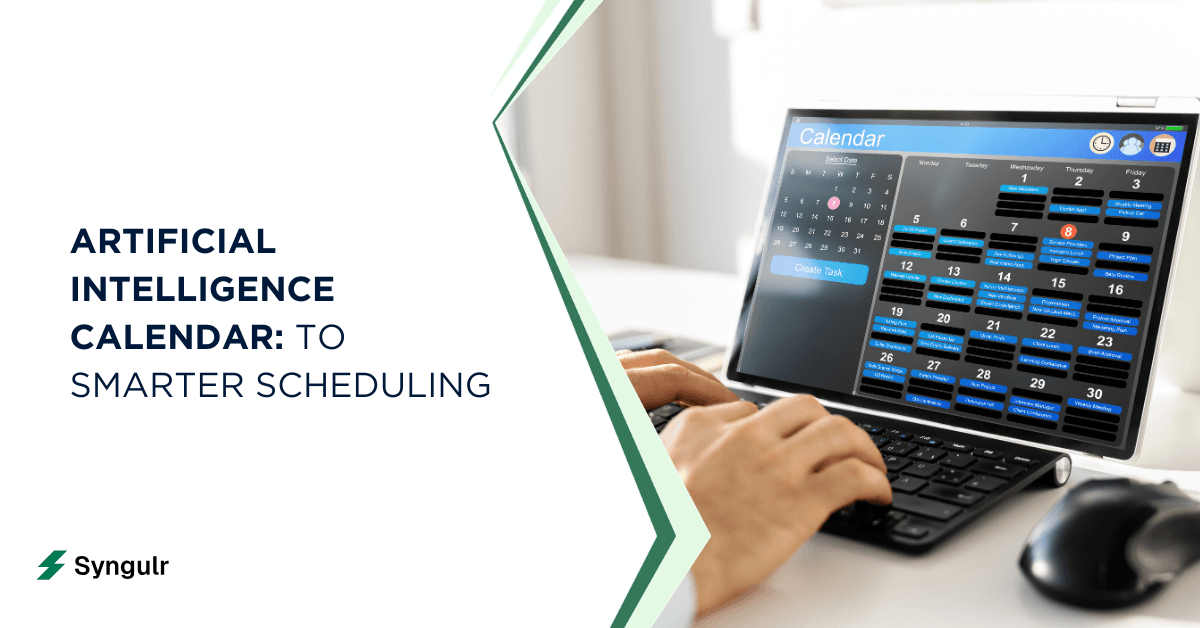
Your calendar should work as hard as you do. An artificial intelligence calendar is a scheduling system powered by machine learning, natural language processing, and automation that actively manages your time, meetings, and tasks. Artificial intelligence integrates into calendar applications for intelligent scheduling—going far beyond static reminders to reschedule conflicts, protect focus time, and automatically place tasks based on priorities and deadlines.
Whether you're a freelancer, a manager, or running a sales team, there's a solution here for you.
Traditional tools like google tasks and basic digital calendars require you to do everything manually. Modern ai scheduling assistants continuously optimize your day in real time, adapting as new commitments appear. AI scheduling assistants automate meeting coordination and calendar management without requiring constant human input.
This guide will help you choose and use the best ai scheduling solutions available in 2026. Here's what we'll cover:
- How AI calendars work under the hood and why they outperform traditional scheduling
- Core features to look for in any ai calendar, from personal to enterprise
- Practical setup steps, advanced tactics, and common mistakes to avoid
- How to get started with a free ai scheduler or free ai calendar assistant before committing to paid plans
Whether you're a freelancer, a manager, or running a sales team, there's a solution here for you.
How Artificial Intelligence Calendars Work Under the Hood
Most people think of calendar tools as passive containers for events. An artificial intelligence scheduling system is fundamentally different-it's an active agent that shapes your day based on data, context, and learned behavior.
Here's how the mechanics break down:
- Data ingestion. The system connects to multiple sources-google calendar, outlook calendar, email, CRM platforms, and project management apps-to build a unified picture of your time. It pulls in existing events, tasks, and deadlines from connected calendars across your personal and professional life.
- Natural language processing. AI scheduling tools use natural language processing for scheduling tasks. You can type or speak commands like "Plan deep work every weekday 9–11 am" or "Find time with Maria and Tom next week," and the ai scheduling app parses your intent, checks availability, and creates calendar events accordingly.
- Continuous re-evaluation. AI agents inside modern calendars don't just set and forget. When new meetings are booked, tasks are added, or deadlines shift, the system re-evaluates and adjusts scheduling automatically.
- Preference learning. AI tools analyze user habits to optimize scheduling over time. If you consistently reject calls after 5 pm or avoid Monday mornings, the ai scheduling engine learns and applies those preferences to future decisions. AI calendars utilize machine learning to adapt to user habits over weeks and months.
- Task estimation. AI analyzes task durations and deadlines to recommend scheduling priorities. Advanced ai planning tool logic can break large projects into smaller calendar blocks, estimating effort so you don't overbookor undercommit.
- Connected sources. Email threads, CRM records, project management apps, and even travel data feed the assistant's understanding of your schedule.
AI Calendars vs. Traditional and "Smart" Calendars
Not all digital calendars are created equal. Understanding the differences helps you decide what level of intelligence your scheduling actually needs.
Traditional calendars are passive. You create events, set reminders, and that's it. They show what's on your plate but do nothing to optimize it. Smart calendars add a layer of rule-based automation-auto-declining conflicts, blocking weekends, sending reminders at set intervals. Smart calendars use deterministic algorithms for scheduling and follow fixed rules for event management. They're better, but still rigid.
A full ai calendar system operates on a different level entirely. Consider this scenario:
You have a 3 pm client meeting. A traditional calendar sends a 10-minute reminder. A smart calendar shows the slot as "busy" to anyone trying to book. An ai assistant automatically moves a low-priority task you'd placed at 3 pm, notifies you of the change, and even adds prep time before the client call.
The key differences in practice:
- AI based scheduling reduces manual juggling by continuously re-optimizing meetings, tasks, and breaks based on current constraints-not just pre-set rules.
- AI scheduling assistants analyze availability across multiple calendars, preventing double-bookings even when you maintain separate work, personal, and freelance schedules.
- Unlike rule engines that only follow fixed logic (e.g., "no meetings after 5 pm"), AI interprets nuanced constraints like "avoid Friday afternoons for internal calls unless it's a launch week."
- AI calendars can sync multiple calendars across workspaces without creating conflicts, something basic scheduling tools simply can't handle.
Core AI Features to Expect in a Modern AI Calendar
When evaluating any ai scheduling app in 2026, these are the ai features that separate serious tools from glorified reminders:
- Automatic time blocking. The system reserves blocks for deep work, meetings, and personal tasks based on your preferences. If you're a serious time blocking enthusiast, this alone can transform your week.
- Conflict resolution. AI-driven dynamic rescheduling can adjust your calendar based on unexpected events. When a new meeting clashes with an existing block, the ai assistant resolves it-automatically shifting meetings or tasks to better slots.
- Focus time protection. Focus time protection helps users preserve productive hours from scheduling conflicts. The tool actively defends your concentration windows against incoming invitations.
- Predictive scheduling. Calendar aids with predictive scheduling by reserving preparation time and managing travel times. Buffers appear before and after meetings without you lifting a finger.
- Conversational controls. You can tell your scheduling assistant ai to "move all 1:1s to next week" or "find 45 minutes for quarterly planning before Thursday." The system parses the request and executes it.
- Priority-aware planning. Scheduling ai tools weigh urgency, importance, and deadlines. Critical tasks get scheduled first; lower-priority items flex around them. AI assistants can automatically reschedule tasks when conflicts arise.
- Integration depth. Tasks from google tasks, project systems, or CRMs flow into the calendar through an ai planning tool workflow, so your view includes actionable tasks-not just meetings.
- Cross-device continuity. Desktop web app, mobile-notifications and nudges stay consistent. Just about every tool worth considering works across platforms.
- Security and permissions. Granular controls let you decide which calendars the ai assistant can see or modify, a must-have for anyone managing personal tasks alongside work.
Benefits of Using AI for Scheduling and Time Management
The practical payoff of using ai for scheduling goes beyond convenience. Here's where the value actually shows up:
- Time saved. AI scheduling assistants save users up to 90 minutes daily by eliminating back and forth emails and manual calendar edits. AI scheduling reduces back-and-forth emails for meeting coordination. AI scheduling assistants reduce back-and-forth messages for scheduling. Reviews in 2026 consistently estimate 2–4 hours per week recovered for people with 10+ meetings weekly.
- Fewer context switches. When focus time is protected and tasks are scheduled realistically around meetings, you reduce context switching-the silent productivity killer. AI scheduling tools can protect focus time by rearranging meetings that would otherwise fragment your day.
- Real-time adaptation. AI scheduling can adapt to changes in real-time, optimizing schedules as new commitments appear or old ones shift. Your plan stays current without manual intervention.
- Mental-load reduction. The ai scheduling assistant "remembers everything"-follow-ups, overdue tasks, deadlines-so you don't have to maintain a mental to do list of every open item.
- Time zone accuracy. For remote teams, ai based scheduling automatically converts time zones and suggests ideal overlap windows, eliminating miscommunications around meeting times.
- Work–life balance. An ai scheduling tool can protect evenings, weekends, and lunch breaks by treating them as unavailable unless explicitly overridden. You define non-negotiables; the tool respects them.
- Long-term insights. AI provides analytics on calendar usage and productivity insights for better time management. Some ai scheduling assistants track how much time goes to deep work versus meetings versus admin, giving you data to adjust over months.
Types of AI Scheduling Assistants: Personal, Team, and Enterprise
Not every scheduling problem requires the same solution. Here's how the landscape breaks down:
- Personal scheduling assistants. Designed for individual productivity-freelancers, solo professionals, anyone managing their own calendar. They focus on task scheduling, personal routines, time blocking, and streamlining daily flow. Think of them as a virtual assistant for your time.
- Team scheduling tools. Built for small teams and departments. They coordinate shared availability, suggest meeting slots for group scheduling, handle recurring ceremonies, and help with optimizing team calendars. AI scheduling tools can handle multi-person meeting coordination reliably, even across chaotic team calendars. AI scheduling assistants can handle multi-person meeting coordination reliably.
- Enterprise-grade assistants. These add admin controls, SSO, role-based permissions, audit logs, and integration with HRIS or CRM systems. They scale across hundreds of users with compliance and security baked in.
- Booking assistants. An ai booking assistant serves customer-facing contexts-booking demos, consultations, or service appointments. They manage external availability, no-shows, and sync with client relationship systems.
- Bundled platforms. Some platforms combine several ai agents under one umbrella-one for meeting scheduling, one for follow-up emails, one for reporting-while others specialize. Most ai scheduling assistants focus on one core problem but increasingly expand outward.
Matching the right type to your role matters more than picking the tool with the most features.
Top AI Calendar and Scheduling Features for Individuals
If you're managing your own schedule, here's what to prioritize in an ai calendar apps solution:
- Habit protection. The best individual tools let you block personal tasks-sleep, exercise, learning-as non-negotiable events. Reclaim automatically plans your calendar around your priorities, treating habits as first-class calendar events.
- Automatic task placement. An ai scheduling app can automatically schedule tasks like "write report draft" between meetings, then move them when an urgent call appears. SkedPal uses time-blocking to organize tasks effectively, making it a strong option for individuals.
- Unified task view. Akiflow integrates tasks from multiple apps into a single view, so your commitments from email, project boards, and personal notes all appear in one place. Connect google tasks or similar task managers so the ai assistant has a complete picture.
- Free tier testing. A free ai scheduler can be enough for solo users to test core features. Many tools offer a free plan with basic automation, limited calendars, and capped scheduling-enough to see if the approach fits your style before upgrading.
- Smart notifications. Instead of constant pings, look for smart nudges-notifications that fire only when something meaningful changes, like a rescheduled meeting or an approaching deadline for critical tasks.
- Cute and helpful icons in the interface might seem like a small thing, but visual clarity in your calendar view helps you scan your day in seconds.
Top AI Scheduling Capabilities for Teams and Managers
Managing a team's time is exponentially harder than managing your own. Here's where ai scheduling earns its keep for managers:
- Meeting clustering. Tools that cluster meetings together-rather than scattering them across the day-free up joint focus time for project work. Clockwise optimizes team calendars by moving meetings to better times, reducing fragmentation for everyone.
- Multi-calendar coordination. The system checks team members availability across connected calendars and suggests meeting slots that minimize overlap and overtime. It can coordinate meetings across departments without the usual email ping-pong.
- Recurring ceremony management. A team-focused ai scheduling tool handles stand-ups, sprint reviews, and 1:1s. When holidays hit or someone takes time off, the system suggests repositioning these events automatically. This is smart meeting scheduling in practice.
- Project integration. Motion combines AI scheduling with project management features, letting teams manage tasks and deadlines alongside their calendar. Task management and task prioritization happen in the same workflow.
- Shared analytics. Scheduling ai tools can surface trends: total meeting hours per person, average focus time, the focus time cost of large recurring meetings. These insights help teams reclaim hours and adjust culture.
- Cross-functional scheduling. Operations, a sales team, and product teams often share blocks reserved for inter-team syncs. The ai assistant orchestrates these shared windows, respecting role priorities and resource constraints for genuine team collaboration.
AI Booking Assistants for Client and Customer Appointments
For service businesses, an ai booking assistant acts as a front-facing agent that lets customers book slots without manual staff involvement.
Here's how it works in practice:
- Automated booking flow. After a sales call, the system sends a booking link. The client picks a time. The underlying ai scheduling assistant ensures the slot fits around internal priorities and doesn't conflict with existing events-no human assistant required.
- Email-based scheduling. Clara handles meeting scheduling entirely via email, communicating with external parties in natural language to find mutual availability and confirm appointments.
- No-show mitigation. Automatic reminders, easy rescheduling links, and rules like "don't allow same-day cancellations" are configured inside the ai scheduling tool. This significantly reduces missed appointments.
- Industry applications. Consulting, healthcare, coaching, hair salons, and legal practices all rely heavily on booking automation. Any business with recurring client appointments benefits from this approach.
- End-to-end workflow. Appointment data syncs into CRMs and billing tools, so the ai tools become part of a complete pipeline. AI can create summaries and action items from meeting discussions automatically, feeding post-appointment notes into your systems.
- Meeting coordination becomes seamless when the booking assistant handles external scheduling while your internal calendar stays protected.
Free AI Calendar Assistants and When to Pay for Premium
You don't need to spend money to start experiencing the benefits of AI-powered calendar management. Here's how to think about free versus paid:
- What free gets you. A free ai calendar assistant typically offers basic automation, syncing with 1–2 calendars, limited time blocking, and capped scheduling events per month. Many tools with a free plan let you test core features like basic scheduling, habit tracking, and simple reminders.
- Ideal for testing. A free ai scheduler is perfect for seeing whether using ai for scheduling fits your style before committing budget. Try it for two weeks with real data-not demo scenarios.
- Typical premium upgrades. Paid plans unlock more connected calendars, advanced analytics, team features, admin controls, and higher limits on AI-powered rescheduling. You'll also get access to more integrations with major productivity apps and other tools.
- ROI calculation. For professionals billing hourly, even a $10–$20/month ai scheduling app fee pays for itself quickly. If the tool saves 2–4 hours per week, the math is obvious.
- Adoption path. Start free. Add one or two automations-like auto-blocking focus time or clustering meetings. Observe the time you save time on scheduling tasks. Then expand into full ai calendar apps once the value is clear.
The key is to avoid over-investing before you've confirmed the tool matches your workflow. Start lean, measure results, then scale.
Integrating AI Calendars with Tasks, Email, and Collaboration Tools
An ai calendar in isolation is useful. An ai calendar connected to your entire workflow is transformative. AI integrates with workflow tools to synchronize personal and professional calendars into one coherent system.
- Email-to-calendar. Powerful ai scheduling assistants pull meeting requests and deadlines from email and turn them into events or tasks automatically. A starred email becomes an actionable task placed in the next open slot.
- Task manager sync. Create a task in google tasks, and the ai assistant immediately finds open calendar space for it. This ensures you don't just add tasks to a list-you automatically schedule tasks into real time blocks.
- Project platform integration. Tasks created in Asana, Notion, or similar tools flow into your calendar through scheduling ai tools. AI scheduling tools integrate with popular calendars like Google and Outlook, and increasingly with google workspace and project management apps as well.
- Bi-directional sync. Changes in the calendar reflect in your task tools and vice versa. If you reschedule meetings, the linked tasks shift too. No double-entry, no drift.
- Notification routing. Some tools generate a nightly summary of the next day's plan-delivered via email or push-assembled by the ai planning tool. These digests replace the need to manually review your calendar each morning.
- Chat tool connections. Slack messages that mention scheduling get picked up. Meeting outcomes post to channels automatically. The calendar stops being a silo and becomes part of your manage tasks workflow.
Security, Privacy, and Reliability in AI Scheduling
Granting a scheduling assistant ai access to your calendars, emails, and contact lists is a significant trust decision. Here's how to evaluate it:
- Data governance. Understand what data the tool accesses and stores. Encryption in transit and at rest should be standard. Look for granular permission scopes-can you limit the ai assistant to only the calendars it truly needs?
- Compliance frameworks. Serious tools carry GDPR, SOC 2, or ISO 27001 certifications. If you're in a regulated industry, these aren't optional.
- Training data policies. Review how ai tools use your data. Do they feed your calendar data into model training? Can you opt out? This matters for both personal and enterprise users.
- Reliability. Check uptime SLAs. What happens if the ai scheduling tool goes down? Is there a fallback-manual override, backup calendar export? You shouldn't be locked out of your own schedule.
- Best practices. Use work accounts where possible. Enable multi-factor authentication. Restrict write permissions so the tool can't unintentionally modify existing events without confirmation. Calendar management requires trust, so verify the vendor's posture before granting access.
How to Choose the Best AI Scheduling Assistant for Your Needs
There's no single "best" tool-only the best fit for your specific situation. Here's a framework for choosing:
- Define your pain points. Is your problem too many meetings? Lack of focus blocks? Client booking chaos? Multiple calendars conflicting? Start there-don't shop features in a vacuum.
- Rank your requirements. Do you need team-wide capabilities or just personal scheduling? Is a chat-first interface more natural than a calendar-first one? Do you need an ai assistant that works as a personal assistant or one that handles group scheduling?
- Trial with real data. Test 2–3 tools for a week using your actual meetings, tasks, and deadlines. AI tools can automatically reschedule meetings based on availability, but you need to see how that plays out with your real commitments-not sample data. AI assistants can automatically reschedule meetings based on conflicts, but only if they have complete information.
- Evaluate the learning curve. How much setup time is needed? How intuitive is it to delegate scheduling tasks day-to-day? The learning curve matters-a powerful tool you never configure properly delivers zero value.
- Match to role. The best ai scheduling assistants for executives prioritize delegation and external meeting scheduling. Freelancers need client appointment management. Operations leaders need analytics and shared team calendars. Support teams need booking automation.
The best ai scheduling solution is the one you actually use consistently.
Step-by-Step: Setting Up Your First AI Calendar Workflow
Here's a concrete, beginner-friendly sequence to get started:
- Connect your calendars. Link your main work calendar (google calendar or outlook calendar) and personal calendar. The more connected calendars the system sees, the better it can prevent conflicts.
- Define working hours and non-negotiables. Set your available window (e.g., 8 am–6 pm). Block evenings, weekends, and lunch breaks as protected. Import personal tasks and routines.
- Import your tasks. Pull in tasks from google tasks, Todoist, or your project management tool. The ai scheduling app needs to see both meetings and multiple tasks to plan effectively.
- Create initial rules. Block deep work in the mornings. Cluster meetings in the afternoon. Add buffer times around travel or prep. These rules guide the ai scheduling engine's first pass at organizing your day.
- Test for one week. Accept meeting invitations, add tasks, and observe how the system rearranges your day. Watch how it handles scheduling automatically-new meetings, cancellations, urgent tasks-and how often it suggests modifications.
- Fine-tune. Based on that first week, adjust buffer lengths, tweak focus windows, and refine task prioritization weights. The tool learns from your overrides, so this feedback loop matters.
- Add a simple automation. When a high-priority task is created, the ai planning tool immediately reserves the next suitable two-hour block. Start with one automation, prove it works, then add more.
Advanced Tactics: Getting More from AI-Based Scheduling
Once you've mastered the basics, these patterns unlock the next level:
- Time theming. Assign categories to days-"marketing Mondays," "finance Fridays"-and use ai based scheduling rules to automatically group similar tasks on themed days. This reduces context switching and builds momentum.
- Recurring project preparation. Use your ai scheduling assistant to automatically block review time before major deadlines or launches. The system can anticipate prep needs based on deadline proximity.
- Protect non-negotiables. Treat exercise, family time, and personal commitments as high-priority calendar events. Configure scheduling ai tools so they cannot override these blocks, even when meeting requests pile up.
- Analytics-driven optimization. Use the ai calendar's analytics to identify patterns over months-meeting overload weeks, underused focus blocks, recurring meetings that could be emails. Iteratively reduce meeting load and rebalance toward deep work.
- Time zone management. AI automatically manages time zone differences for virtual meetings, suggesting slots that respect everyone's working hours without manual conversion.
- Gradual experimentation. Try different notification strategies-digest summaries versus immediate alerts. Test automation rules one at a time rather than activating everything at once. Overwhelming yourself defeats the purpose.
Common Mistakes When Adopting AI Scheduling (and How to Avoid Them)
AI scheduling is powerful, but it's not magic. These are the mistakes that trip people up:
- Over-automation. Relying on a scheduling assistant ai without clear rules leads to chaotic or unrealistic schedules. Always start with constraints-protected blocks, maximum meeting hours, minimum focus windows-before giving the tool freedom.
- Partial data. Connecting only some calendars or task sources means the ai assistant makes decisions with incomplete information. If your personal calendar isn't linked, expect double-bookings. Connect everything the tool needs to see.
- Micromanaging the tool. Constantly overriding the system's choices prevents the ai scheduling engine from learning your true preferences. Give it space. Accept its suggestions for a few days before intervening.
- Ignoring analytics. Failing to review the tool's feedback-time allocation reports, meeting load trends-means you miss opportunities to refine your ai features and improve long-term time management.
- Rolling out too fast. Start with basic scheduling automations. Test them. Then add complexity. Turning on every ai tool at once is a recipe for confusion, not productivity.
The pattern is simple: start constrained, observe, adjust, expand.
The Future of Artificial Intelligence Calendars
The artificial intelligence calendar is evolving fast. Here's what's coming:
- Richer ai agents. Expect systems that coordinate across multiple people, tools, and even external vendors without manual intervention. Your ai assistant won't just schedule a meeting-it'll draft the agenda, pull relevant documents, and queue follow-up tasks.
- "Time operating systems." AI calendar apps may evolve into holistic orchestration layers that manage work, learning, rest, and personal growth-not just meetings. The line between task management, personal scheduling, and life planning will blur.
- Deeper communication integration. AI assistants will read context from Slack threads, email chains, and shared documents to suggest calendar changes proactively-postponing meetings when projects slip, or creating prep work when launches approach.
- On-device intelligence. Local AI inference on smartphones and laptops will improve privacy and reduce latency. Your virtual assistant may soon run entirely on your hardware.
- Ethical guardrails. As ai tools push productivity expectations higher, the risk of burnout and over-scheduling grows. The best tools will need features that actively protect autonomy-enforcing rest, flagging unsustainable patterns, and encouraging boundaries rather than eroding them.
The future isn't about cramming more into each day. It's about spending time on what actually matters.
Conclusion: Building a Sustainable AI-Driven Schedule
An artificial intelligence calendar isn't about filling every minute. It's about aligning your time with your real priorities-then letting intelligent systems handle the logistics.
Here's how to move forward:
- The best ai scheduling assistants are the ones that match your unique workflow, not the ones with the longest feature list. A tool that handles your specific pain point-whether that's chaotic team calendars, client booking chaos, or reschedule meetings constantly-beats a bloated all-in-one every time.
- Start small. Try a free ai scheduler for a week. Connect your calendars, import your tasks, and let the system work. Observe what changes. Build trust in ai scheduling assistants through real-world results, not feature demos.
- Think about your ideal week. What does it look like? How much deep work? How many meetings? How much personal time? Use ai scheduling and ai planning tool capabilities to reverse-engineer your calendar toward that vision.
- The technology is ready. The only question is whether you're willing to let it help.
Start this week. Pick one tool. Run it for seven days. Then decide.
Related articles
AI Tools and Automation
Google AI Search: How AI Overviews and Search Labs Are Changing Google Search
Google AI Search blends web search with generative AI to deliver cited, synthesized answers through AI Overviews and AI Mode. Learn how it works, how to enable Search Labs on desktop and mobile, its real impact on SEO and traffic, and where AI-powered search is heading next in 2026.
AI Tools and Automation
Artificial Intelligence Code: Modern AI Coding Tools, Code Generation & Business Automation
AI-generated code has moved from novelty to the core of how teams ship software. Learn what artificial intelligence code is, how AI writes code from prompts, the top AI coding tools, when to trust it versus humans, and how Syngulr builds AI employees on AI-generated, human-reviewed code.
AI Tools and Automation
AI and Digitalization: How Artificial Intelligence Is Powering the Next Wave of Digital Transformation
Learn how AI and digitalization work together to reshape business operations, improve decision-making, and unlock measurable growth. A practical guide for leaders ready to drive effective digital transformation.
Build your AI workforce today
Put everything you just read into practice. Spin up AI employees for your business in minutes — no credit card required to start.