

AI Employee vs AI Assistant vs AI Agent: How to Choose the Right AI for Your Business
This article explains the differences between AI employees, AI assistants, and AI agents, helping businesses choose the right AI solution. It covers autonomy, memory, use cases, and benefits, guiding leaders on when to use each AI type for better automation, productivity, and outcome ownership.
 Krina Kumbhani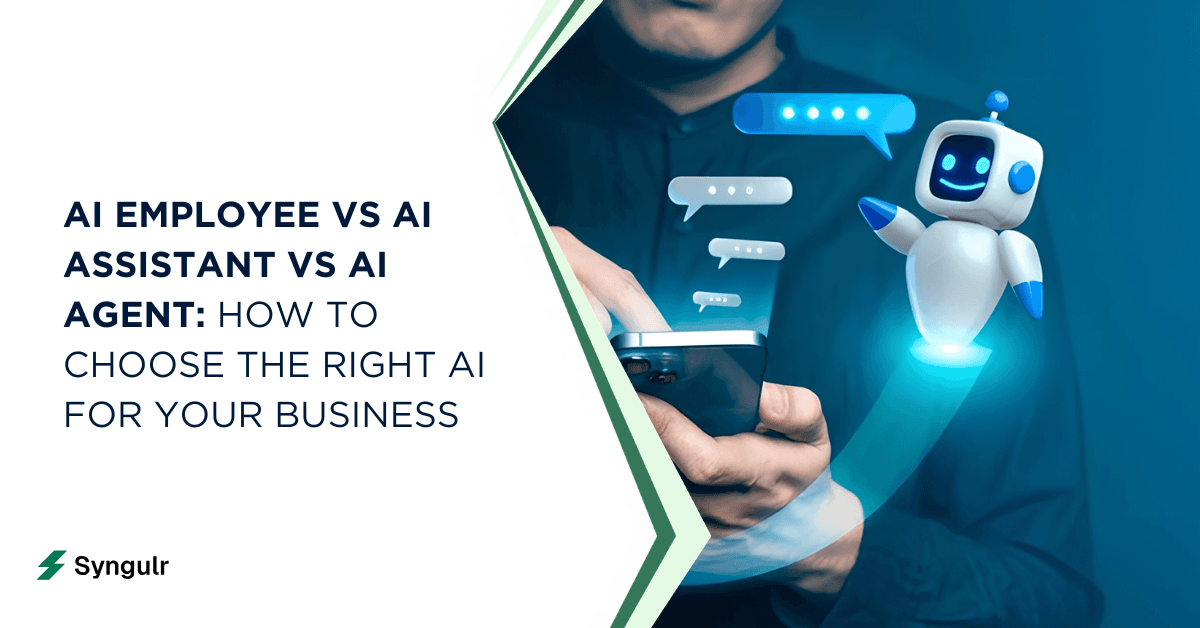
Are you a business leader, IT manager, or operations executive evaluating AI solutions for your organization? Understanding the differences between an AI employee, an AI assistant, and an AI agent is crucial for making informed decisions that impact your business outcomes, automation strategy, and ROI. The distinctions between these roles affect what you can automate, delegate, and scale within your company. This article compares ai employee vs ai assistant vs ai agent to help you choose the right solution for your business. By clarifying these terms, you’ll avoid costly missteps, select the right tools for your needs, and maximize the value of your AI investments.
Fast answer: AI assistant vs AI agent vs AI employee
The three terms describe fundamentally different levels of AI capability and business impact:
- AI assistant: A reactive tool that responds only to user prompts and helps with narrow, discrete tasks such as scheduling, answering questions, and drafting emails. AI assistants require constant human oversight and direction, and are designed to improve individual performance. Examples include Siri, Alexa, and Google Assistant.
- AI agent: A proactive system that can execute tasks autonomously, manage multi-step workflows, and adapt based on past interactions. AI agents can analyze data, make independent decisions, and are increasingly used for customer service automation.
- AI employee: A persistent, role-based digital worker that operates with persistent memory, makes decisions independently, manages broad, continuous business processes, and can handle tasks such as customer support, lead generation, and finance independently. AI employees operate under defined policies and can monitor data and trigger workflows automatically.
Whether you're comparing an ai employee vs ai assistant for basic task management or evaluating a full ai coworker for your operations team, the distinction matters for budget, KPIs, and results.
The taxonomy problem: assistants, agents and employees
Between 2024 and 2026, the market has been flooded with overlapping labels—AI assistants, AI agents, AI employees, AI chatbot examples—all used interchangeably by vendors. This confusion costs real money. According to Camunda's 2026 report, 73% of organizations report a significant gap between what they expect from AI agents vs what they actually deliver. Meanwhile, over 75% of knowledge workers already use AI tools weekly. Misunderstanding AI agents vs assistants vs employees leads to failed pilots, wrong KPIs, and wasted budget on the wrong AI models. AI systems often sit between the roles of assistant and employee, making clarity essential. This article is written from Syngulr's perspective as an AI workforce platform focused on outcome-owning AI employees—not just automation demos.
What is an AI assistant?
An AI assistant is a reactive tool that responds to user prompts and helps with narrow, discrete tasks such as scheduling, answering questions, and drafting emails. AI assistants require constant human oversight and direction, and are designed to improve individual performance. Unlike AI agents or AI employees, AI assistants do not act autonomously or manage complex workflows.
Typical Features of AI Assistants
- AI assistants are reactive and respond only to user prompts.
- They require constant human oversight and direction.
- They help with narrow, discrete tasks.
- They handle simple tasks like scheduling and answering questions.
- They draft emails and summarize documents in response to prompts.
- They typically require explicit commands to perform tasks.
- They usually work on a single task at a time.
- They use natural language processing to understand commands.
- They are designed to improve individual performance.
- They save users 30–90 minutes daily by automating tasks.
- Examples include Siri, Alexa, and Google Assistant.
How AI assistants work in practice
The AI assistants work loop is straightforward and always requires human initiation and oversight.
Typical Use Cases
- Brainstorming ideas
- Rewriting emails
- Summarizing documents
- Explaining technical concepts
- Scheduling meetings
- Answering questions
Example Workflow
- User provides a prompt or command.
- The AI assistant processes the context via natural language processing.
- The AI assistant answers with a draft or suggestion.
- The human decides what to do next.
Limitations
- AI assistants usually work on a single task at a time.
- They require explicit commands for each step.
- They have no persistent organizational memory.
- They cannot schedule work on their own or coordinate multi-step processes across systems.
- They require constant human oversight and direction.
A practical scenario: a marketing manager uses an AI assistant to generate a campaign outline for a product launch, then manually pastes it into project management software. The assistant drafts emails and summarizes documents in response to prompts—but the human does everything else.
Now that we've covered AI assistants, let's look at how AI agents differ in terms of autonomy and workflow management.
What is an AI agent?
An AI agent is a proactive system that can execute tasks autonomously, manage multi-step workflows, and adapt based on past interactions. AI agents can analyze data, make independent decisions, and are increasingly used for customer service automation. Unlike AI assistants, AI agents do not require constant human input and can manage complex workflows independently.
Key Features of AI Agents
- AI agents are proactive and can execute tasks autonomously.
- They can execute multi-step workflows autonomously.
- They can manage complex workflows without constant human input.
- They execute multi-step workflows based on user-defined goals.
- They can autonomously complete tasks without constant human input.
- They can analyze data and make independent decisions.
- They can adapt and learn from past interactions.
- They can autonomously manage customer support inquiries.
- They are increasingly used for customer service automation.
- They can analyze market trends for investment recommendations.
How AI agents work: autonomy, tools and memory
AI agents operate through a reasoning-and-acting loop, enabling them to work independently and handle complex processes.
Autonomy and Workflow
- AI agents work without constant user input, triggering on events (e.g., new ticket, new lead, system alert) rather than human questions.
- They are proactive systems, not reactive ones.
- They execute tasks by calling CRMs, email services, ticketing tools, and internal APIs to complete task execution end-to-end.
- This data integration lets them automate workflows across data sources.
Learning and Adaptation
- AI agents can learn and adapt from past interactions, improving reasoning capabilities over time.
- They execute multi-step workflows based on user-defined goals.
- Agents maintain persistent memory at the workflow level but lack full organizational context like an AI employee.
Example Workflow
- Observe (monitor APIs, databases, or logs)
- Reason (analyze data and determine next actions)
- Act (execute tasks across integrated tools)
- Evaluate (assess outcomes and adapt)
- Repeat
Use Cases
- Taking new e-commerce orders, checking inventory, triggering shipping labels, and sending customer notifications—all without human intervention.
- Closing simple IT tickets (password resets, log collection).
- Reconciling transactions nightly between Stripe, bank feeds, and accounting software.
- Turning webinar registrations into CRM contacts and nurture sequences.
- Managing customer support inquiries autonomously.
Now that we've explored AI agents, let's see how AI employees take autonomy and business process ownership even further.
What is an AI employee (AI digital worker)?
An AI employee operates with persistent memory, makes decisions independently, manages broad, continuous business processes, and can handle tasks such as customer support, lead generation, and finance independently. AI employees operate under defined policies and can monitor data and trigger workflows automatically. Unlike AI agents, AI employees are integrated into corporate systems for performance tracking and own business outcomes at a role level.
Key Features of AI Employees
- AI employees operate with persistent memory and make decisions independently.
- They manage broad, continuous business processes.
- They operate under defined policies and escalate issues when necessary.
- They can monitor data and trigger workflows automatically.
- They are integrated into corporate systems for performance tracking.
- They can handle customer support, lead generation, and finance tasks independently.
How AI employees differ from assistants and agents
- Initiative: Unlike AI assistants that wait for prompts, AI employees are proactive systems that identify and act on work.
- Memory: Organization-level persistent memory, learning user preferences, brand voice, and team context over weeks and months.
- Access: Integrated into corporate systems for performance tracking—CRMs, helpdesks, analytics, billing.
- Output: Measured by KPIs like tickets resolved, leads qualified, and reports shipped.
Syngulr-style roles include "AI Customer Support Specialist," "AI Sales Researcher," and "AI Operations Analyst." AI employees are integrated into corporate systems for performance tracking, and they improve over time—similar to a new human hire ramping up.
With a clear understanding of AI employees, let's compare all three roles side by side to highlight their main differences in autonomy, memory, and business process ownership.
AI assistant vs AI agent vs AI employee: side-by-side comparison
Here's how the three compare across the axes that matter for decision making, especially when considering ai employee vs ai assistant:
| AI Assistant | AI Agent | AI Employee | |
|---|---|---|---|
| Autonomy | Reactive; needs constant user input. Requires constant human oversight and direction. | Task-level proactive; autonomous agents that operate independently. | Role-level proactive; owns own workflow and outcomes. Operates with persistent memory and makes decisions independently. |
| Memory | Session-based. No persistent organizational memory. | Workflow-level. Can learn and adapt from past interactions. | Long-term organizational persistent memory. |
| Output | Answers and drafts. Helps with narrow, discrete tasks. | Completed multi-step workflows. Manages complex workflows. | Business outcomes and KPIs. Manages broad, continuous business processes. |
| Integration | Chat/browser apps. Works on a single task at a time. | APIs, tools, backend processes. Executes multi-step workflows. | Deep system access, multiple data sources. Integrated into corporate systems for performance tracking. |
| Governance | Human oversight only. Requires explicit commands for each task. | Monitoring dashboards. Needs guardrails for autonomous operation. | Identity, guardrails, performance metrics. Operates under defined policies and escalates issues when necessary. |
The gap between agents and AI assistants is autonomy. The gap between agents and employees is ownership. How your team perceives the tool—as a disposable AI bot vs a trusted digital coworker—shapes adoption and governance.
When to use an AI assistant
AI assistants are best when humans stay in the loop for judgment and final actions. They are ideal for improving individual performance on repetitive or administrative tasks.
Typical Use Cases
- Knowledge workers using AI assistants for brainstorming, drafting, and summarizing long PDFs.
- Leaders preparing board updates or strategy memos while maintaining full decision authority.
- Developers using assistants as copilots for code suggestions without repository write access.
- Streamlining recruitment by screening resumes and handling predefined tasks.
Benefits
- AI assistants save 30–90 minutes per day per user on administrative tasks.
- Designed to improve individual performance.
- Purchased per seat, not as part of an AI workforce.
Limitations
- Require constant human oversight and direction.
- Handle only narrow, discrete tasks.
- Work on a single task at a time.
Organizations early in AI adoption often start with AI assistant tools to build literacy.
Now that you know when to use an AI assistant, let's explore when AI agents are the better choice for workflow automation.
When to use an AI agent
AI agents are ideal for clearly defined multi-step workflows with structured data and strong tool integrations. Unlike AI assistants, AI agents can execute tasks autonomously and manage complex workflows.
Typical Use Cases
- IT operations: Closing simple tickets (password resets, log collection) to automate tasks at scale.
- Finance: Reconciling transactions nightly between Stripe, bank feeds, and accounting software. Analyzing market trends for investment recommendations.
- Marketing: Turning webinar registrations into CRM contacts and nurture sequences.
- HR: Optimizing talent acquisition and candidate scoring.
- Customer service: Managing customer support inquiries autonomously and automating customer service.
Benefits
- Handle consistent, repeatable back-office automation.
- Operate independently but need guardrails.
- Can analyze data and make independent decisions.
Teams using AI agents for Slack see strong results in collaborative environments.
Now that we've covered AI agents, let's see when it's time to "hire" an AI employee for outcome ownership.
When to "hire" an AI employee
You "hire" an AI employee when you have a recurring, outcome-oriented job that a human currently does across many small tools with lots of context switching. AI employees combine the reasoning of assistants with the automation of agents, plus stable identity, schedules, and metrics.
Typical Use Cases
- AI Inbox Manager: Triages support@ emails, drafts replies, updates CRM, escalates edge cases—handling routine tasks and complex queries alike.
- AI SDR Researcher: Finds new leads daily via lead research, enriches data, drafts first-touch emails, tracks replies.
- AI Ops Analyst: Pulls metrics from analytics, CRM, and billing tools weekly, then ships stakeholder-ready reports.
Benefits
- Perform tasks a human employee would—with fewer errors on mundane tasks and zero downtime.
- Own business outcomes and KPIs.
- Integrated into corporate systems for performance tracking.
Syngulr customers typically start with 1–2 AI employees to validate ROI (hours saved, response times, pipeline lift) before scaling their AI workforce. Across similar deployments, companies report 35–55 hours per week reclaimed and positive ROI within 90 days.
With these scenarios in mind, let's see how assistants, agents, and employees coexist in real-world business workflows.
Real-world scenarios: support, sales, and marketing
Here's how assistants, agents, and employees coexist in common business workflows. These AI solutions layer together rather than replace each other.
Customer support
- AI assistant: Helps a human agent draft complex responses to tricky tickets.
- AI agent: Auto-replies to simple FAQs, updates ticket status—handling predefined tasks.
- AI employee: Owns the full L1 queue, resolves ~80% of tickets, escalates tricky ones, tracks CSAT scores.
Sales development
- AI assistant: Suggests email copy and call scripts based on user input.
- AI agent: Scores inbound leads and triggers sequences with minimal human intervention.
- AI employee: Runs daily outbound research, sends personalized outreach, books meetings into calendars—executing multi-step processes end-to-end.
Content marketing
- AI assistant: Brainstorms ideas and outlines on demand.
- AI agent: Schedules social posts across channels from a content calendar.
- AI employee: Manages the editorial calendar, coordinates content updates, monitors performance via real-time data, and reports weekly.
Now that you’ve seen how these roles work together, let’s discuss how to decide which AI solution your business needs right now.
How to decide what your business needs right now
Most companies will eventually use all three—but sequencing matters for ROI and risk.
- Choose AI assistants if your main pain is knowledge work speed (drafting, summarizing, ideation). They handle everyday tasks and reduce repetitive tasks without complex setup.
- Choose AI agents if your pain is repetitive, rules-driven workflows across SaaS tools. They automate tasks and handle multi-step workflows with minimal human oversight.
- Choose AI employees if your pain is capacity: small team, no time, recurring roles that need a digital coworker—not another app. This goes beyond just automation into outcome ownership.
Map one concrete role in your business that could be handled by an AI employee within 30 days. Customer inbox triage and weekly reporting are common starting points.
Syngulr provides plug-and-play AI employees with integrations, governance, and monitoring built for SMBs and growing enterprises. The vs AI assistant debate ends when you stop buying tools and start hiring digital workers.
Related articles
AI Tools and Automation
Google AI Search: How AI Overviews and Search Labs Are Changing Google Search
Google AI Search blends web search with generative AI to deliver cited, synthesized answers through AI Overviews and AI Mode. Learn how it works, how to enable Search Labs on desktop and mobile, its real impact on SEO and traffic, and where AI-powered search is heading next in 2026.
AI Tools and Automation
Artificial Intelligence Code: Modern AI Coding Tools, Code Generation & Business Automation
AI-generated code has moved from novelty to the core of how teams ship software. Learn what artificial intelligence code is, how AI writes code from prompts, the top AI coding tools, when to trust it versus humans, and how Syngulr builds AI employees on AI-generated, human-reviewed code.
AI Tools and Automation
AI and Digitalization: How Artificial Intelligence Is Powering the Next Wave of Digital Transformation
Learn how AI and digitalization work together to reshape business operations, improve decision-making, and unlock measurable growth. A practical guide for leaders ready to drive effective digital transformation.
Build your AI workforce today
Put everything you just read into practice. Spin up AI employees for your business in minutes — no credit card required to start.